Track duration with dates and milestones. Input start date to calculate years, months, and days. Receive alerts for anniversaries and special occasions. View progress and set reminders for important events.
Track rows during or knitting projects. Create multiple projects with custom names. Repeat row counts as needed. Disable tap sound for silent use. Sync with voice-over for accessibility.
Counters can be created and customized with names and colors. Set increment values and choose layout options. Track multiple counters simultaneously. Large fonts ensure readability. No advertisements are included.
Track and count items with customizable counters. Create unlimited counters and organize them into groups. Set initial values, increment/decrement options, and personalize with names and colors. Switch between list and grid views.
Counters numbers with a full-screen button. Includes reset and subtract options. Features an animated background and sound effects for each tap. Allows disabling Auto-Lock.
Track knitting and crochet rows with a dedicated row . Add rows manually or set automatic counting. View progress charts and save project details. Sync projects across devices and receive alerts for completed rows.
Track game scores with customizable scoreboards. Create multiple boards with team names and colors. Set increments and large fonts for visibility. No ads. Monitor progress across different games.
Track scores with quick touch controls. Customize card order settings. Manage game rounds and player turns. Display real-time scores and game progress. Share results via social media or messaging apps.
Reminds users of upcoming events like birthdays and anniversaries. Sets reminders with customizable alerts. Allows users to mark events as completed. Displays event details in a color-coded calendar view. Syncs with other calendar apps.
Count numbers with a plus or minus button in the or . Set automatic resets with timers. Use shortcuts for Siri or Apple Watch integration. Send data via HTTP to third-party habit trackers. View a history log of all counts.
Track and count items or people efficiently with real-time updates and discreet notifications. Set custom labels, group entries, and export data. Monitor progress with visual indicators and receive alerts for specific thresholds.
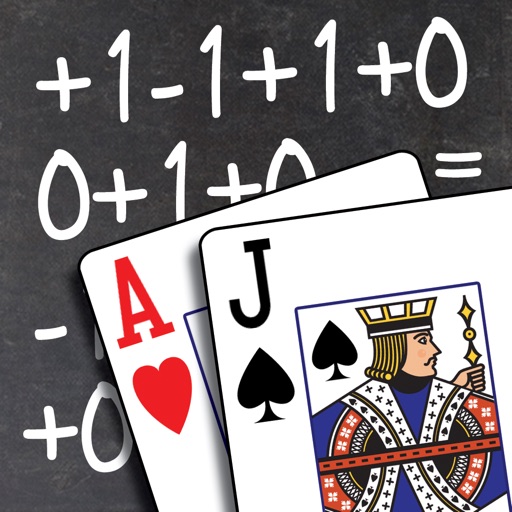
The app teaches Blackjack card counting techniques through various game modes. Users can select from multiple counting systems or create their own, tracking progress with high scores and global rankings.
Track time until exams, birthdays, holidays, anniversaries, and other important dates. Set reminders with periodic, advance, or event-based alerts. Choose between full-screen and minimal themes. Save and share screen recordings.
Track upcoming and past events by counting days until or since specific dates. Create and manage a list of dates. View day counts in real-time. Set reminders for important dates. Share date details with others.
Track scores without an internet connection. Log rounds, view statistics, and compare performance. Supports multiple languages and devices. Uses minimal battery and offers clear, detailed graphics.
Tap to count virtual currency and earn more by upgrading your tapping amount. Buy sports cars and progress through the game. Remove ads via in- purchase. No real transactions are available.
Count words, characters, and sentences in any text. Copy and paste documents or type directly for accurate results. Use the Action Extension to check text from other apps. Track paragraphs and formatting details.
With customizable buttons featuring color selection, goal tracking, and or countdown modes. Set step sizes and create widgets for home screen access. Includes haptic and acoustic feedback with optional in- donations.