
iPhone Screenshots



Description
Count numbers with a plus or minus button in the or . Set automatic resets with timers. Use shortcuts for Siri or Apple Watch integration. Send data via HTTP to third-party habit trackers. View a history log of all counts.
Tally counter widget and app to count numbers of any kind.
Count: The water you drink, Push-ups, Cups of coffee, Steps ..... ∞
• One click on plus or minus button in the widget to update the value.
• Automatic change and reset of counter values using a timer.
• Shortcut application supported. Use it to work with Siri or Apple Watch.
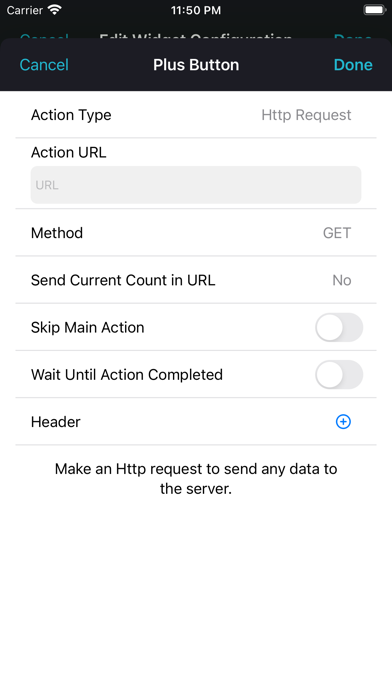
• Use HTTP requests to integrate with third-party habit systems.
• View a history log of all the calculations you make.
• Use iOS lock screen widgets to count.
• Change color, fonts, layout for each counter.
• Use images as the background of the widget.
• Rename each counter however you want.
• Supports several counters.
• iOS light and dark mode support.
• Select the step size for your count +1, -21, 3.141592, or any number you need!
_____________________________________
The following information about the auto-renewable nature of the subscription:
• Payment will be charged to iTunes Account at confirmation of purchase.
• Subscription automatically renews unless auto-renew is turned off at least 24-hours before the end of the current period.
• Account will be charged for renewal within 24-hours prior to the end of the current period, and identify the cost of the renewal.
• Subscriptions may be managed by the user and auto-renewal may be turned off by going to the user’s iTunes Account Settings after purchase.
• Privacy Policy link https://vitalek.app/widgetweb/privacyPolicy.html and Terms of Use link https://vitalek.app/widgetweb/termsOfUse.html
• Any unused portion of a free trial period, if offered, will be forfeited when the user purchases a subscription to that publication, where applicable.