Update firmware for specified chips including Icar01, Icar02, Icar03, MIC3311, MIC3312, MIC3313, MIC3422, MIC1103, and MIC3425. Connect to devices to check firmware versions and initiate updates. Supports multiple device models and chip variants.
by 昌云 沈★ 2.635 ratingsUtilitiesFreeData updated 2026-09-06
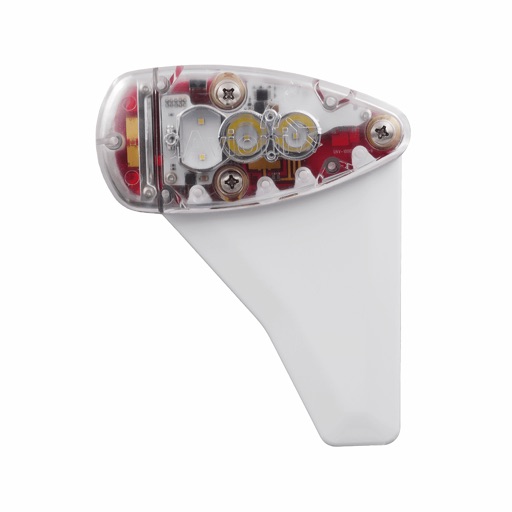
Monitor, install, and configure ADS-B devices. View device status, update firmware, and manage settings. Track aircraft position and receive alerts. Sync with compatible hardware for real-time data.
Monitor and configure devices with real-time status updates, firmware updates, and settings adjustments. Install and manage hardware through the , compatible with echoUAT and Vektor devices.
Control and monitor thermal imaging devices remotely. View real-time thermal data and footage. Manage media files and access firmware updates. Retrieve technical support resources. Adjust device settings and calibrate sensors.
Configure and manage devices purchased from . Set device preferences, update firmware, and monitor system status. Access support resources and troubleshoot connectivity issues.
View critical fault data from vehicle electronic modules using NFC. Access module registration details and identify units during system programming. Compatible with specified firmware versions.
Configure device settings like speed sensitivity and GPS logger sampling time. Download firmware updates and new features for the NOVASAIL V2. Adjust start line offset and manage device parameters through the .
The app provides remote control functionality for miniDSP processors over Wifi. It allows users to select sources, control master volume and mute, and recall presets.
Control connected devices with real-time monitoring and remote adjustments. Manage device settings and firmware updates. Access device data and logs. Integrate with IoT ecosystems for seamless device management.
Activate Telcel chips securely and quickly. Scan a QR code or barcode, or enter a 10-digit number. Log in with your user account to activate multiple chips or use the to activate your own chip.
Control devices, transfer data, upgrade remotely, share
Remote control devices and monitor speed. Transmit and collect data. Share information socially. Update devices over-the-air. View device details and settings.
Scan and manage 3D data with real-time point cloud preview. Connect devices, upgrade firmware, and configure RTK accounts. Record and playback scans. Manage projects and adjust parameters. Control capture settings and view data accurately.