Apps Like Night Vision Camera :iNVC for iPhone and iPad
Record video in any light condition
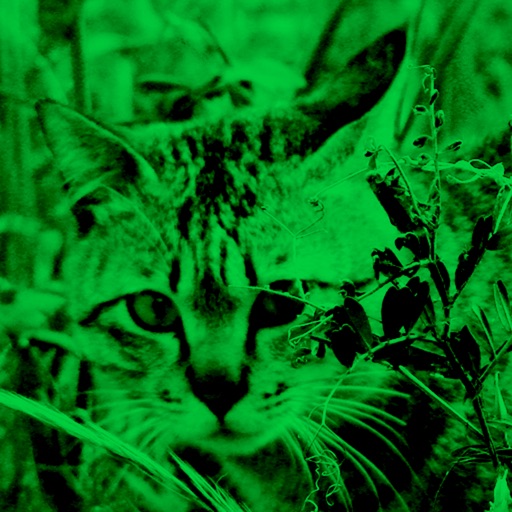
Functions as a that adjusts brightness automatically to capture images in both bright and dark environments. It does not support video recording; users must use the standard iOS screen recording function for videos.
by Masaharu Tsukamoto★ 4.3850 ratingsPhoto & VideoFreeData updated 2026-09-06
Record and streams automatically. Enter a username to start recording public broadcasts. Supports social media, personal, and gaming streams. Access recordings anytime. Share recorded content directly.
Allows users to connect electro-optic devices via Wi-Fi. It functions as a file browser and viewfinder. Users can view thermal and night images. The enables direct control of connected devices. It supports multispectral electro-optic data viewing.
Record videos and live streams with automatic scrolling. Paste or sync scripts to the panel and start recording. View lines in real-time while filming or streaming. Adjust text size and speed for optimal visibility.
Use infrared and to view in dark environments. Enable Face ID for access. requires compatible hardware. Navigate using visual aids. Adjust settings for optimal visibility.
Adjusts brightness and contrast for better visibility. It creates themes by inverting colors and applying sepia tones. Users can choose from preset themes or customize colors. Integrates with system mode for consistent appearance.
Allows users to import scripts and control text scrolling speed. Features include adjustable text settings, video recording with scrolling text overlay, and customizable effects for presentations or social media content.
Enhance low-light photos with increased light intake and 8x zoom. Apply thermal imaging, green mode, and binoculars effects. Adjust brightness and contrast for clearer images in dark conditions. Share edited photos directly.
Record screen with audio and video simultaneously. Upload directly without delays. Stop recording and video instantly. Capture crisp content for tutorials or demonstrations.
Display scripts on top of any , including camera apps. Support multiple screen ratios and full-screen mode. Adjust font size and choose from various fonts. Enable AI Mode and remote control. Copy and paste text for easy editing.
Control for alpha and Cyber-shot devices. Adjust exposure using RGB, histogram, and zebras. Browse and filter photos. Download images directly. Set aspect ratios and grid overlays for composition. Connect via wireless or USB cable.
Connect to iOS device camera for live streams and meetings. Use manual controls for settings. Draw and add text via voice on video feed. Pause video to annotate. Stream via USB, HDMI, or AirPlay to Ecamm, OBS, or Zoom.
Capture photos with filters and adjust sensitivity for creative control. Save and share edited images directly to device storage or social media. Use an intuitive interface to edit without technical barriers.
Record video with real-time and 8mm effects. Adjust exposure, focus, and color grading manually. Capture photos with vintage filters. Export videos in high quality and share directly. Sync with editing software for advanced post-processing.
Record videos by pressing shoot and record buttons. Display recording time in lower right. Apply real-time color and rotation effects. Create surreal visuals by transforming ordinary scenes into different worlds. Add and other creative effects.
Record video from multiple cameras simultaneously. Switch between camera angles during recording. Capture selfies and scenery in one shot. Share videos directly to social platforms like Instagram and TikTok. Supports iPhone XR and newer models.
The app allows users to create photos and movies using green screen technology. It supports high-resolution video and photo capture, with a timeline editor for layering and trimming content.
Convert photos and videos to art with 30+ styles and 10+ effects. Record art videos directly or apply the style to existing clips. Save results as videos, live photos, or gifs. Adjust settings to customize the pixelation effect.
Capture with real-time live effects and color presets. Apply adjustable effects and enhance colors simultaneously. Use screen flash for better results in low light. Share directly from the .