Display class rotations for the current day and search for rotations by date. Show exam dates and vacation days on a calendar. Add personal events to the calendar. Access lunch menus and athletics pages directly.
by Ryan Kulsakdinun★ 5.08 ratingsProductivityFreeData updated 2026-09-06
Display full schedules with time and location on monthly views. Set multiple combinations and switch between them with a single button. Register recurring events using templates by double-tapping a date.
View monthly and next month calendars continuously without month boundaries. Display up to six weeks of appointments. Customize and event colors. Adjust color palettes for calendars and events. Set customizable display range for views.
Simplify school management and administration workflows.
The app simplifies school management and administration for small schools. It improves parental engagement and school communications with features like newsletters, announcements, and personalized calendars.
Displays Islamic from January to December . Shows special days, festivals, and holidays for . Includes fasting days for each month. Provides government holidays and details about Ramadan, Eid, and Mecca dates.
Synchronized calendar for rational time arrangement.
The app synchronizes with the iPhone Calendar for time arrangement. It offers personal affair management, day, week, and month views, and date calculation.
Search and register for courses with section details, professor info, and class times. Set alerts for course openings. Manage schedules and track registration status. View course descriptions and availability.
Manage daily schedules with a clean, intuitive interface. Adjust font size and time intervals. View events in a vertical layout. Add, edit, and delete events directly. Sync across devices. Set reminders for upcoming tasks.
Stay updated with Naval Academy schedules and resources. View daily meals and food service hours. Check medical service hours and upcoming events. Track days until key events. Access important contact numbers and athletic schedules.
Save events by screenshotting posters or texts. Organize social calendar with event details and dates. Set reminders and sync across devices. View events by date and location. Share events with contacts. Edit event details and delete entries.
Create and manage to-do lists with task prioritization and due date tracking. Set reminders for appointments and deadlines. Organize notes and schedule tasks within a single interface. Sync across devices and categorize tasks for better productivity.
Track birthdays, anniversaries, holidays, and custom events in one . Set countdowns for upcoming events. Receive notifications on the day, one day before, one week before, or one month before. Customize notification times.
Log flight details quickly with auto-filled aircraft data and smart entry. Track time, add notes, and export logs. Import past flights from a dedicated website. View and manage flight records efficiently.
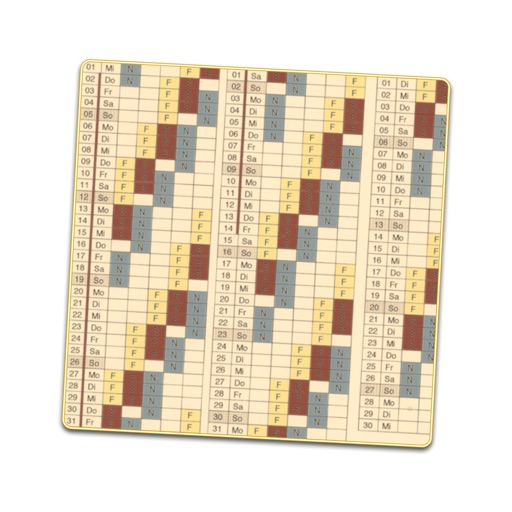
Creates a displaying work shifts for each day of the year. Enter sequences and start dates to generate the schedule. Edit individual days to adjust shifts or mark as holidays. Includes public holidays and school vacations for over 30 countries.
View daily Panchangam details including auspicious timings and astrological predictions. Check festival dates and traditions. Plan events based on favorable astrological signs. Access daily horoscopes and religious updates.
Count down to upcoming events with a large display of remaining days. View a circular clock face showing time left. Swipe between and choose animation styles. Set and manage multiple with customizable styles.
Recognizes in documents and images using OCR. documents with a click and auto-detect pages. Extract and edit with cropping, filtering, and rotation. Copy, share, or export scans as images or PDF.
Display Hijri and Gregorian dates, prayer times, and sunrise/sunset times. Show moon phases and events. Set adhan notifications and qibla direction. Add events to the . Change themes and sizes. Lock screen widgets.