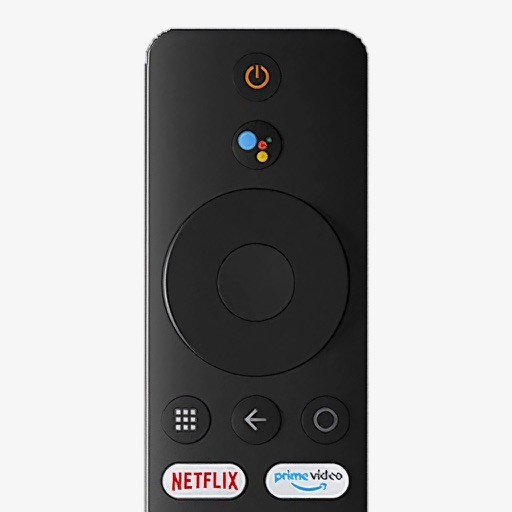
Control device operations by pairing with a specific set-top box. Send commands to navigate menus, adjust volume, and control playback. Function only when connected to the same local network as the set-top box.
by 卫民 陈★ 0.00 ratingsUtilitiesFreeData updated 2026-09-06
Control Philips Smart TVs via Wi-Fi or Ethernet network. Navigate menus, change channels, adjust volume, and access apps. Use intuitive on-screen controls to mimic original functions. Automatically detects connected TVs for easy setup.
Manage network settings remotely with real-time monitoring and control. Set parental controls to filter content and restrict online time. Enable advanced security features to protect the network.
Control your TV remotely using an intuitive interface. Adjust volume, change channels, and navigate menus. Access a library of streaming services and manage playback. Customize shortcuts and view device status.
Control TV or stick with iPhone or iPad. Connect to same WiFi network for automatic device detection. Use phone as to navigate menus, play content, and adjust settings. Supports all system features.
Control your Mi Box with full remote functions including volume, power, and navigation. Manage apps by opening, closing, and switching them from your phone. Use voice search to find content and control playback.
Control TV functions with a mobile , replacing a physical . Switch channels, adjust volume, and navigate menus. Access streaming services and apps. Manage playback with play, pause, and rewind. View and change input sources.
Control devices via Bluetooth connection. Adjust volume, play/pause media, and activate voice assistants. Sync with magic box for remote management. Manage connected devices and customize control settings.
Control your box with your iPhone or iPad using intuitive remote functions. Adjust volume, navigate menus, and access all channel options. View on-screen guidance for easy navigation. Compatible with multiple box models.
Control via phone with functions. Navigate TV content and manage playback. Adjust volume, skip tracks, and access menus. Customize UI for easier navigation and smoother interaction.
Control multiple connected audio devices to play music throughout a home. Manage playlists, stream from popular services, and adjust volume per room. Sync with -enabled devices for multi-room audio playback.
A web-connected TV with a phone . Adjust volume, change channels, and navigate menus. Access a channel list and manage settings remotely without a physical .
Replace your physical with a smartphone for TV or Stick. Control playback, adjust volume, and navigate menus. Connect directly to your device for simple, intuitive functionality.
Control TV and streaming devices via Wi-Fi. Navigate menus using a touchpad. Access channels with hot keys. Adjust volume or mute. Use a built-in keyboard for input.
Control your TV with a that supports multiple brands and TV platforms. Adjust volume, change channels, and navigate menus directly from your smartphone. Access streaming services and shortcuts for quick content playback.
Shop for smart devices, set up and manage automation system. View device status, control smart devices, and receive notifications. Access user guides and support resources within the .
Control smart TVs from an iPhone without a physical . Adjust volume, change channels, and navigate menus. Support includes Roku, Samsung, LG, Vizio, and other major brands. Pair with Wi-Fi-enabled TVs for direct commands.
Control your TV remotely from your iPhone. Adjust volume, navigate menus, and select channels. Supports Samsung, LG, Sony, and other brands. Connect via Wi-Fi, auto-detects TV, and requires confirmation on the TV screen.
Remotely control home appliances from anywhere. Add and manage multiple devices with one . Use voice commands via Amazon Echo and Google Home. Automate device operations based on temperature, location, and time. Share devices with family members.
Control settings and adjust volume. Manage device pairing and firmware updates. Monitor battery level and connection status. Customize lighting effects and profile settings. Switch between input modes and mute functions.