
iPhone Screenshots




Description
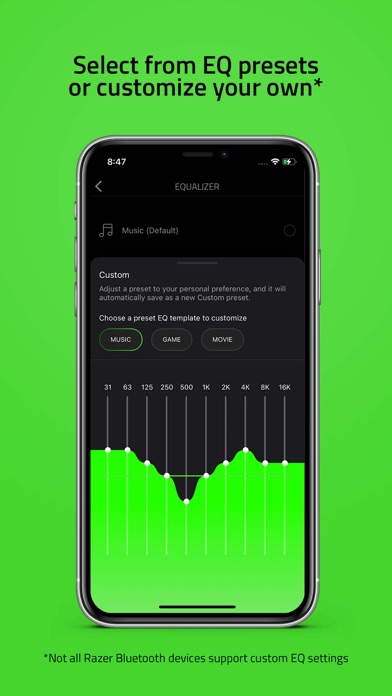
Control settings and adjust volume. Manage device pairing and firmware updates. Monitor battery level and connection status. Customize lighting effects and profile settings. Switch between input modes and mute functions.
Compatible Devices:
- Razer Anzu
- Razer Barracuda Pro
- Razer Barracuda
- Razer Barracuda X Chroma
- Razer Barracuda X
- Razer BlackShark V3 Pro
- Razer BlackShark V3 Pro For PlayStation
- Razer BlackShark V3 Pro For Xbox
- Razer BlackShark V3
- Razer BlackShark V3 For PlayStation
- Razer BlackShark V3 For Xbox
- Razer BlackShark V3 X HyperSpeed
- Razer BlackShark V3 X HyperSpeed For PlayStation
- Razer BlackShark V3 X HyperSpeed For Xbox
- Razer BlackShark V2 Pro - PlayStation Edition
- Razer Hammerhead Pro HyperSpeed
- Razer Hammerhead True Wireless Pro
- Razer Hammerhead HyperSpeed - PlayStation Licensed
- Razer Hammerhead HyperSpeed - Xbox Licensed
- Razer Hammerhead True Wireless
- Razer Hammerhead True Wireless X
- Razer | Pokémon True Wireless - Pikachu Edition
- Razer Kaira Pro HyperSpeed - PlayStation Licensed
- Razer Kaira Pro for PlayStation
- Razer Kaira HyperSpeed - PlayStation Licensed
- Razer Kaira HyperSpeed - Xbox Licensed
- Razer Kaira for PlayStation
- Razer Kraken BT - Hello Kitty and Friends Edition
- Razer Kraken BT Kitty Edition
- Razer Leviathan V2 Pro
- Razer Leviathan V2
- Razer Leviathan V2 X
- Razer | Pokémon Pikachu Edition Soundbar
- Razer Opus
- Razer Wireless Control Pod
Making advanced customizations just got a whole lot easier for your Bluetooth enabled Razer audio devices. With this easy-to-use mobile app, control them all in one centralized place. Quickly access settings and features, control audio preferences, download the latest firmware updates, and much more.