Apps Like PDF Scanner App for Documents for iPhone and iPad
Scan , edit pages, save files
Scan and create PDFs by capturing images with your phone's camera. Adjust clarity, crop, and rotate pages. Save files in various formats and share via email or cloud storage. Organize scanned into folders and access them offline.
by Liger Infotech★ 4.7657 ratingsProductivityFreeData updated 2026-09-06
AS GRUP BILGI TEKNOLOJILERI PAZARLAMA VE TICARET LIMITED SIRKETI
Scan documents, create copies, manage files
Create and manage digital copies of documents like credit cards, books, and checks. Scan, edit, sign, save, and share files in PDF, JPEG, or TXT formats. Use OCR to extract text from scanned documents.
Capture scans using a camera with automatic cropping and detection. Organize scans with folders, tags, and drag-and-drop sorting. Access text recognition, cloud upload, and customizable themes in the Pro version.
Convert images and documents to PDF using AI-powered OCR. multiple pages, merge or split files, and text directly. Save and share PDFs with precise formatting and clarity.
Manage financial and digitally. Scan credit and debit to save in . Convert receipts, notes, and contracts into PDF, Word, or JPEG. Access files across iPhone, iPad, and Mac.
Print documents, photos, and emails directly from your device. Scan and save documents as PDFs. AirPrint compatible with various Wi-Fi printers. Share printed files via email or messaging. Manage print jobs and settings from the .
Scan and password protect documents directly on iOS. Encrypt files and set passwords to PDFs. Share documents while maintaining encryption. Automatically detect document borders for accurate scanning. Manually adjust scans as needed.
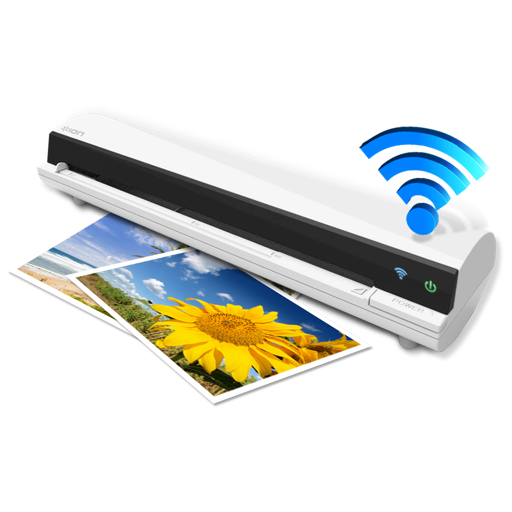
The app works with the ION Air Copy hardware, a portable Wi-Fi scanner. It scans photos, receipts, business cards, notes, and documents up to US Legal size directly to a Mac, then shares them via email or social networking.
Convert documents by scanning with automatic boundary detection. Batch multiple pages at once. Save scans in PDF or image formats. Share files via email, cloud services, or messaging apps. Edit text and annotate scanned documents.
Edit PDFs with text editing, signature tools, and drawing features. Annotate pages with highlights, comments, and stamps. Convert files to other formats and manage documents through organization and sharing options.
Scan documents, receipts, books, photos, and whiteboards with precise edge detection and automatic straightening. Tap to capture and save scans in PDF or image formats. Share scanned files directly via email or cloud services.
Convert handwritten notes to editable by scanning and recognizing cursive writing. Export instantly. Convert PDFs to searchable, editable . Extract content from scanned documents. Copy, share, or edit without retyping.