Create with realistic effects using a professional engine. Customize text appearance and animate it. Export as images or videos. Share directly to WeChat. Save creations to the device album.
Create looping videos with natural motion and still images. Adjust timing, opacity, and transitions. Export in multiple formats and share directly. Add text and stickers. Sync with desktop version for advanced editing.
Create 2D and 3D plans using LiDAR scanning to detect walls, windows, and doors. Edit layouts in 2D or 3D views. Preview plans in AR to check scale and placement.
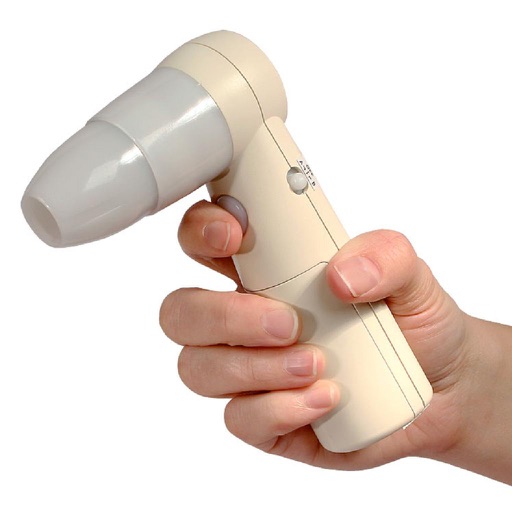
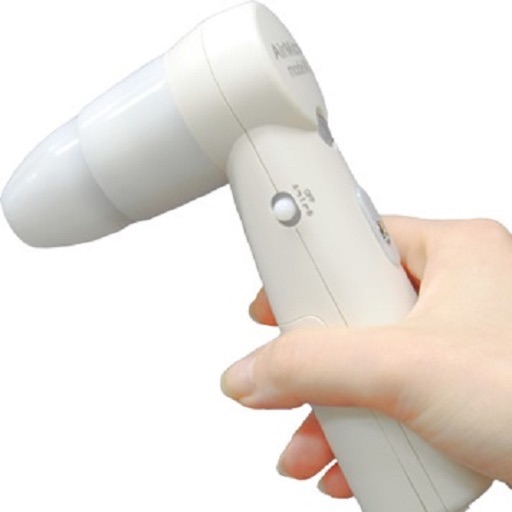
The app displays and preserves pictures captured with AirMicro and ProScope Mobile. It allows users to view live video and capture still images directly into the photo library on an Apple Mobile device.
Record with audio and facecam. Capture full HD videos up to 4K. Record internal or system sound. No time limits or watermarks. Include whiteboard and screenshot features. Convert videos to GIF. Support streaming and audio recording.
Darkroom allows users to adjust exposure and contrast by selecting optimal strips. Users can manually brighten or darken specific image areas. Features include intuitive controls for developing film-like effects and simulating darkroom processes.
Store and organize media with password protection and encryption. Create secure storage areas for images and videos. Use SnoopStopper™ and decoy safes to deter unauthorized access.
Pangolin series IP-camera installation simplified.
The app is for Vstarcam's Pangolin series IP-Cameras. It uses Plug and Play technology to simplify installation and use, making IP-cameras accessible to consumers.
View and save images captured with or ProScope Mobile. Adjust focus and brightness. Share photos via email or messaging. Compatible with Apple iPad, iPhone, and iPod. Used for skin analysis and educational purposes.
And video by connecting a camera and microphone to your iPad. Start streaming on the move and save footage to built-in storage or an SD card. Edit and upload high-quality content directly from the device. Share videos via social media or email.
Cast screen content to a computer with high quality and low latency. Mirror iPhone or iPad display on a larger screen. Use device as an HD webcam for Windows or macOS. Connect and cast without additional hardware.
Turn devices into monitors using a USB-C dongle and the Video System . Capture and display video from cameras, consoles, or computers. Adjust settings and control output directly on the device.
Capture photos and videos using connected cameras or device cameras. Adjust settings manually or use automatic modes. Share images directly to social media or email. Print photos on-site or save to cloud storage.
Create AI-powered videos from text prompts. Apply trendy effects and filters. Experiment with liquid metal and artistic styles. vatars that speak. Export and share videos directly.
Use iPhone or iPad as a USB for macOS. Capture 4K video at up to 60 FPS. Adjust lighting, focus, and exposure remotely. Control camera settings via connected devices. Stream video calls and online events with professional quality.