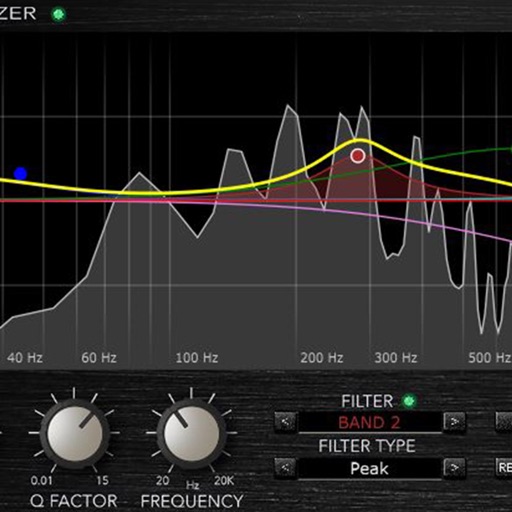
Adjust audio with four parametric stereo equalizer bands. Set gain, frequency, and Q for peak filters. Use low-shelf and high-shelf filters with adjustable gain and frequency. Enable or disable each band individually.
by Kymatica AB★ 4.69 ratingsMusic$4.99Data updated 2026-09-06
Create deep, customizable sounds with adjustable waveform and filter settings. Use as a standalone or plugin. Run multiple instances for layered sound design. Adjust sub- frequency and resonance for precise tone control.
Analyze in real time with octave band and FFT plots. Display sound levels in decibels and noise ratings. Choose linear or logarithmic scales. Adjust window functions and track maximum values.
A stereo dynamics processor with noise gate, compressor/expander, and limiter/clipper. Features adjustable ratios, lookahead buffer, hard or soft knee, and external side-chain input. Supports 32-bit DSP processing.
Load and manage impulse response files for audio equipment. Adjust cabinet sounds with a 6 band parametric equalizer and graphic EQ. Use a custom compressor with side chain filter and bass enhancer.
Create stereo delays with adjustable parameters for various sound effects. Simulate tape characteristics with noise and warble. Apply filters in the delay loop for dub-style tones. Support stereo delay, detune, and ping-pong effects.
Play audio directly from system and cloud sources. Adjust sound with a 10-band equalizer. Control playback speed from 0.5x to 2x. Use background playback and AirPlay. Organize playback queue. Enable smart shuffle and loop options.
Real-time analysis displays waveform and amplitude simultaneously. Users can switch between portrait and landscape modes. Options to configure waveform and display. Adjustable FFT size and window function for precise frequency analysis.
Use iOS device as a live microphone for stereo systems or Bluetooth connections. Create karaoke tracks with synced lyrics in any language. Convert speech to text with AI. Record performances automatically with a single button.
Adjust audio with a 6-band equalizer or presets. Import videos and export in original size, smaller size for sharing, or extract audio. No quality loss during audio adjustments.
Adjust audio frequencies with precise equalization controls. Apply filters, adjust gain, and manage frequency bands. Save presets and load them quickly. Integrate with digital audio workstations for real-time processing.
Learn to use a real parametric EQ with interactive lessons. Adjust frequency, gain, and Q settings. Practice equalization techniques and apply them directly to audio projects. Track progress through structured modules.
Adjust for 4 adjustable frequency bands. bass focus in the center channel and maintain spacious mid-range imaging. Solo each band for individual auditioning.
Create and play music with virtual instruments including pianos, basses, guitars, drums, and synthesizers. Use Chord Pads to build harmonies. Record performances and export audio files. Share creations directly from the .
Customize AONIC devices with button settings and prompts. Adjust parametric EQ in the or save settings to devices. high-res audio files and access podcasts.
Tune mandolins with precise Hz frequency detection. Access library, tuning fork, and advanced tools. Detect tuning quickly with high sensitivity. LED indicator shows string status. Strings light up when in tune. Works on iPhone and iPad.
Create and customize synthesizers using modular components. Build audio and MIDI effects. Control external apps and hardware. Explore modular synthesis concepts. Perform live with customizable setups. Sync with macOS via Audio Unit and VST plugins.