Create, type, and draw directly on the screen with intuitive gestures. Double- or triple-tap number fields to adjust values. Tap the clapper once to open, twice to start a timer. Capture and organize media with simple interface controls.
by Steven Troughton-Smith★ 4.47 ratingsUtilitiesFreeData updated 2026-09-06
Create and customize personalized emojis with pinch gestures for resizing, flipping, and positioning. Save creations to the gallery and send as emojis or stickers in supported apps. Edit and design unique emoticons for text messaging.
Create collages using pre-designed templates and personal photos. Sort images by color to filter matching photos. View and photo library simultaneously for easy arrangement. Add web images directly from the . Export and share finished collages.
Create and edit digital paintings using pencil tools, brushes, and smudge features. Fill areas with color, add text, and draw shapes like lines and circles.
Create and style photos with single tap effects. Apply 8 filters including , Cartoon, and Dots. Share images to social media or save to photo library. Print photos directly.
Create sequences by tapping on sound samples like Snare, Hi-Hat, and Clap. Adjust tempo (bpm) to control speed. Build sound patterns by arranging samples in a grid. Save and export created sequences.
Edit photos by adding custom logos. Choose from Square, Landscape, or Portrait formats. Import images from the photo library. Add custom text to create a . Adjust font, size, rotation, and color. Position the anywhere on the canvas.
Create and Instagram carousels with customizable templates and drag-and-drop editing. Add text, stickers, and filters. Export and share directly to social media. Adjust layout for seamless swipe-through viewing.
Create boards by combining furniture, décor, and color schemes. Generate photorealistic interior renders using AI. Save and share design concepts for Airbnb or home projects.
Create logos using a user-friendly interface with no experience required. Access a variety of templates ranging from minimalist to bold. Customize logos by adjusting shapes, colors, fonts, and adding text or icons.
Take a screenshot of your board. Automatic detection reads letters instantly. Find high-scoring words without manual typing. View suggested plays and select the option to improve your score.
Set dimensions for precise printing. Arrange multiple photos using layout tools. Choose from standard paper sizes like A4, A5, Letter, and Legal. Export -ready files for accurate results. Adjust and layout before exporting.
Create art with layers, animation, and onion skinning. Import color palettes from Lospec or use built-in options. Zoom with pinch, draw with tap, and view mini-previews while dragging. Sync with Aseprite for file transfer.
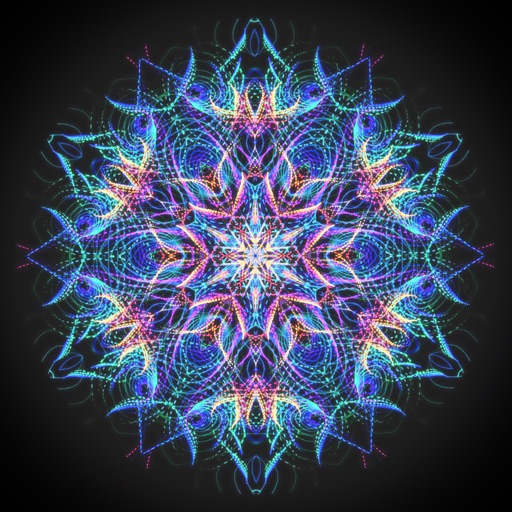
Create animated swirling patterns and kaleidoscope artworks. Select from various brush styles and color palettes. Adjust speed and symmetry settings. Save and share generated artwork. Relax through interactive, meditative visuals.