
Apps Like Remove Background - Pik Change for iPhone and iPad
Remove Background - Pik Change screenshots
Ranked alternatives
Showing 221–240 of 1,000 ranked alternatives.
Collage it Overlap Photo Group
Triple Earth Pty Ltd
Create word photo designs easily.
The app allows users to create collages on square backgrounds and add text. Users can choose backgrounds, add pictures, and modify text properties like font, size, color, transparency, and rotation.

PixelLab: AI Background Eraser
Sohel Ibna Saad
Remove from images
Remove backgrounds from images and create transparent or colorful alternatives. Edit colors, apply filters, add borders, and include text. Save edited photos as high-quality PNG or JPEG files.
Background Eraser + Changer
Ha Do Thi Thu
Remove with one tap
Remove backgrounds from photos using AI to detect and isolate objects. Change backgrounds with gradient options or custom colors. Save edited images to the photo library and share them on social media.


Eraser AI - Remove Objects
360 COMPANY BILISIM TEKNOLOJILERI REKLAMCILIK MEDIKAL TURIZM SANAYI VE TICARET LTD STI

Erase Photo Background
Owen Schick
Sections and add color
Remove unwanted parts of photos using AI-powered erasing. Add colors or images to create new backgrounds. Crop, draw over, and undo edits. Zoom for precision and blur edges. Save and share edited photos.

BG remover : Erase Background
Radhika Sanghani
Remove with AI
Remove backgrounds from photos using AI-powered auto-detection. Cut out subjects with one touch. Export as high-quality PNGs with transparent backgrounds. Edit images by adjusting edges and refining details. Save and share edited files directly.

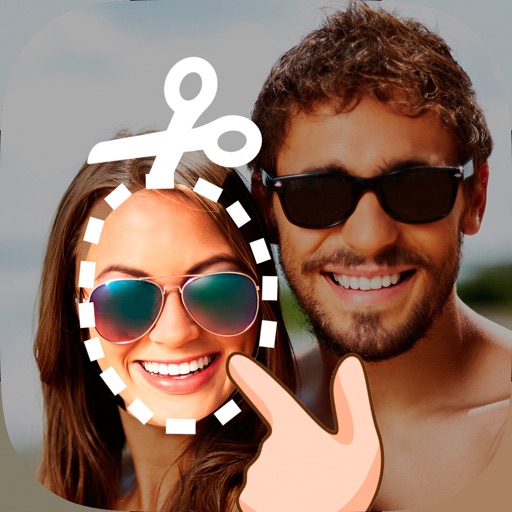
Cut and paste my face in photo
Mireia Lluch Ortola
Edit photos, cut faces, replace backgrounds
Edit photos by cutting and pasting faces, removing backgrounds, and deleting unwanted people. Add missing faces to photos. Use the silhouette head tool to select and edit elements. Export edited images directly.

Muse Photo Editor
Quantis, Inc.
Apply filters and effects in one tap
Create artistic images with single-tap camera effects and professionally designed filters. Adjust brightness, contrast, and tone curve. Blur and focus images. Rotate, crop, and resize photos. Add text and fun stickers.



BlurFace
Lukas Lubbe
Blur faces and blur sensitive content
Automatically pixelates faces and blurs sensitive content in photos using smart auto blur. Users can hide or reveal faces with a single tap. Manual editing allows adjusting filters like pixelate, blur, mosaic, and crystallize.


How we rank alternatives
Apps are ranked by functional similarity, category fit, rating confidence, and popularity.