Take photos with analog-style cameras featuring filters and film grain. Adjust exposure, focus, and white balance manually. Share images directly to social media or save to the roll.
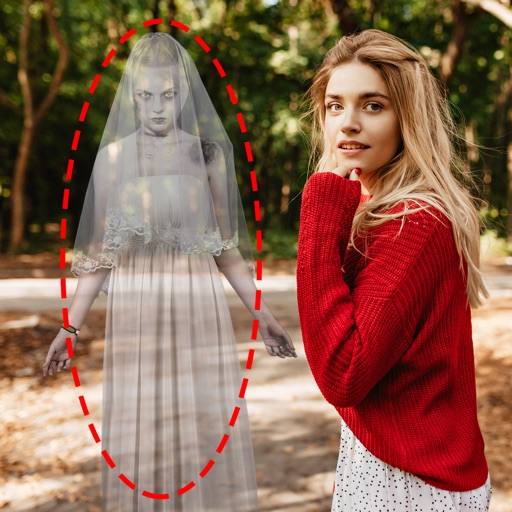
Edit photos by adding ghosts, monsters, or zombies from 62 options. Adjust transparency, color, saturation, brightness, and contrast for each creature. Position and resize creatures freely. Share finished photos with friends.
Take photos with color and sharp filters. Apply whiteness and beauty skin effects. Combine filters and colors for custom looks. Add contacts in 64 pattern colors. Use filters in both camera and alarm modes without charge.
Create collages using 1000+ layouts and effects. Edit photos with filters, split images, and adjust brightness. Add text, stickers, and templates. Share edited collages directly.
Convert to grayscale and highlight a specific . Tap to select the to emphasize. Preserve detail and apply effects using advanced computer vision. Export edited images directly.
Edit photos and videos with brightness, contrast, hue, saturation, and color filters. Add texture using blur, noise, dust, and dark corners. Apply vintage film-inspired filters for a retro look. Export and share edited content.
Capture photos and videos with manual controls for ISO, shutter speed, and white balance. Shoot in RAW format for detailed editing. Apply advanced effects and instant color grading. Use professional filters to enhance visuals.
Edit photos to convert them into and with adjustable contrast, brightness, and grain. Apply filters and vintage effects. Crop, rotate, and add text overlays. Save and share edited images in various formats.
Edit photos by highlighting colors, removing or changing backgrounds, and blurring specific areas. Use healing and smoothing tools for precise adjustments. Create photo montages and export edited images directly.
Take photos with real-time beauty filters and effects. Apply makeup and adjust skin tone instantly. Use photo filters to enhance images. Create collages by combining multiple photos. Edit with blur, whiten, and other tools.
Edit photos with filters, masking tools, and multiple filter layers. Apply selective filters using advanced masking to create effects like color splash or tilt shift. Adjust and combine filters for custom results.
Add vibrant color to specific image areas using the Color Splash Effect. Adjust intensity and placement. Export edited in various formats. Share directly from the .
Beijing Lingguang Zaixian Information Technology Limited
Edit videos, photos, and GIFs
Edit videos with batch importing and splitting features. Add free fonts for titles and subtitles. Include exclusive music from top producers. Create GIFs and still photos. Share edited content directly.
Take photos with high-resolution settings. Apply 40 free filters, including a popular pink filter. Edit images with color adjustments and effects. Add creative accents to photos. Share edited photos directly from the .
Edit photos with neon, shadow, and synthetic effects. Adjust brightness, contrast, and color. Add text, stickers, and transparency. Apply blur, cartoon processing, and halftone patterns. Invert colors and use copy-paste tools.