Edit videos with controls including focus, exposure, ISO, and white balance. Apply slow motion, speed up, add borders, filters, text, music, blur, emojis, and stickers. Share directly to YouTube, Facebook, Snapchat, Twitter, and Instagram.
Edit photos with 23 tools including manual adjustments for ISO, shutter speed, and focus. Apply 80 presets and textures. Use built-in camera for manual settings. Export edited images directly. Share photos through integrated sharing options.
Edit images with brightness, contrast, and other adjustment tools. Import photos and place them in customizable Story templates. Create gradients and use the dropper tool to match colors. Share edited content directly to Instagram .
Images to 4K resolution using AI-powered technology. Apply enhancements to improve clarity and detail. Edit and save upscaled images directly. No cost for all features. Simple interface for easy use.
Edit images and videos by selectively recoloring elements. Extract objects, shapes, and text using tracing, magic eraser, and recoloring tools. Deform and extracted elements with distortion tools.
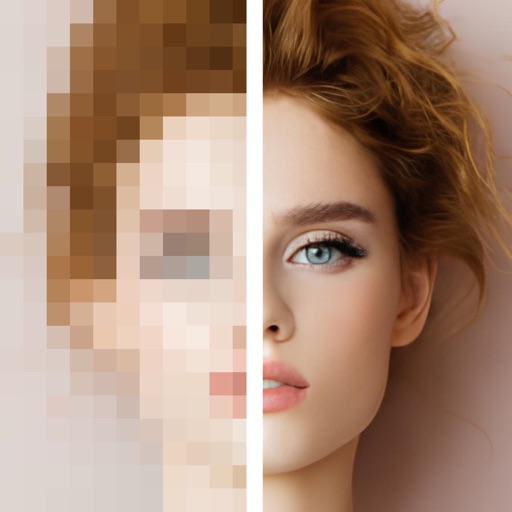
Add , emojis, or pixelation to hide faces in photos. Automatically detect faces and apply chosen effects. Choose from fun stickers or privacy-focused filters. Edit and save modified images directly.
Create and edit labels with text, fonts, and templates. Mix text and graphics. Print documents and labels. Connect to hardware for label making and paperless office tasks.
Edit photos by applying -themed frames from a collection. Select images from the camera or gallery. Add text to personalize messages. Share edited photos directly.
Edit photos with AI cartoon filters, -to-sketch conversion, and mosaic art creation. Remove backgrounds, add drip art, and create collages. Save and share edited images directly.
Edit photos by adding Christmas , stickers, and filters. Apply text with custom fonts and colors. Create greeting cards and save edits in high quality. Share photos directly on WhatsApp.
Edit photos with resizing, text addition, and customization. Choose from categories like romantic, love, and holiday frames. Apply various effects and save or share edited images.
Type messages on Apple with a . Access capital letters, numbers, symbols, dictation, scribble, emojis, and iPhone via the '•••' button. Double tap space bar for period. Designed for intuitive use by kids and family communication.