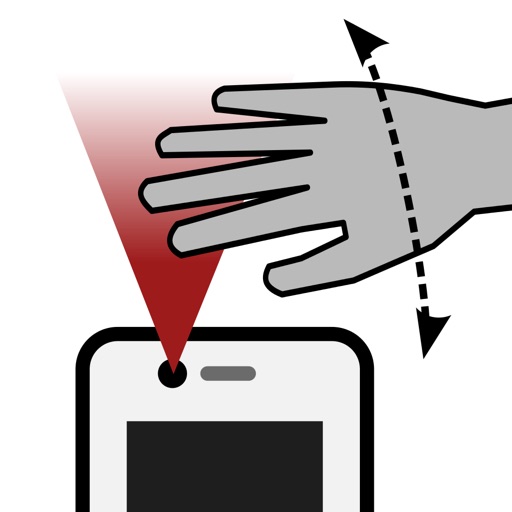
Control a remotely using hand gestures captured by the camera. Navigate pages, scroll, tap links, and adjust settings without touching the screen. Operate from a distance or while hands are occupied.
by akikan LLC★ 4.69 ratingsUtilitiesFreeData updated 2026-09-06
Control your computer remotely by launching applications, adjusting volume, and navigating the Mac filesystem. Customize commands for specific apps, open files, and use keyboard and mouse functions.
The app allows IT support technicians to initiate remote support sessions from an iOS device. Technicians can view and control a customer's screen, chat with users, and invite other reps to collaborate on issues.
Browse the web with built-in Bluetooth connectivity. Access bookmarks and history. Sync tabs across devices. Share links via Bluetooth. Open links in new tabs. Manage extensions and settings.
Enables browsing of two websites side by side on iOS devices. Users can compare products from different sources without switching tabs. Favorite websites are accessible for quick viewing. Switch between websites with a single tap.
The app provides private browsing by not storing browsing history, download names, AutoFill information, or search history. All traces of browsing disappear when the application is closed, returning it to a fresh start.
A full-screen for iPad and iPhone. Displays webpages without an address bar or other elements. Opens address bar via a menu button. Remembers last visited page and returns to it upon reopening.
Browse websites in their full format. Manage bookmarks with a dedicated system. Open and switch between multiple tabs. Access all website features and content as on a computer.
Allows users to open multiple web pages on a single screen. Users can browse up to 9 tabs simultaneously. They can switch between tasks like email, shopping, and web searching without switching tabs. Full screen and incognito modes are supported.
Turns iOS device into a Wi-Fi trackpad and keyboard. Control Home Theater PC remotely. Supports Windows/Linux with VNC server and macOS with Apple Desktop. Includes multi-touch trackpad and international keyboard.
Automatically click on web pages or games with customizable durations and multiple clicks. Enable split screen for two browsers. Auto scroll through news or books without manual scrolling. Refresh webpages at set intervals.
Control computer applications using device motion. Translate hand movements into actions via gyroscope. Use as trackpad or wireless remote. Browse web, manage photos, and control media playback from device.
Control devices with touchpad gestures and buttons. Adjust volume, change channels, and operate TV functions. Cast photos and videos to TV. Launch favorite apps directly from the home screen. Manage multiple devices with a unified interface.