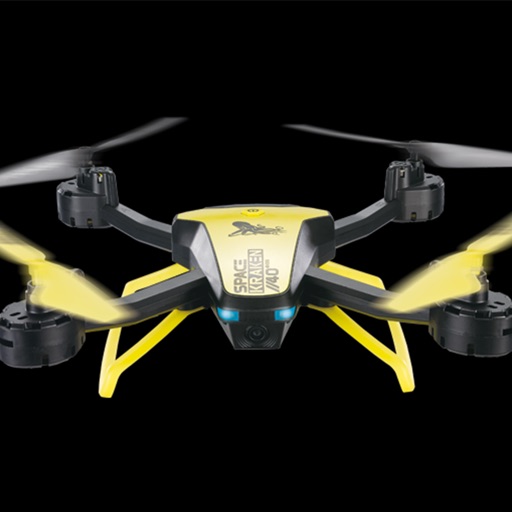
View live video feed from a 4-Axis drone via Wi-Fi. Capture photos and videos remotely using the drone's camera. Review recorded media files directly on the device.
View live video feeds from IP cameras using P2P connection. Enter camera ID and password to access. Record video locally. Configure FTP settings. Set email notifications. Enable motion alarm detection.
Connect to a camera via WiFi to configure settings, capture photos and videos, and edit them directly. Share edited content through integrated sharing options.
Capture real-time video via . Take snapshots, record videos, and browse files. Access 3D views for enhanced perspective. Share content directly from the .
Control drones with real-time flight navigation and camera settings. Adjust gimbal angles, manage waypoints, and view live video feeds. Access flight logs and update firmware remotely. Sync with DJI GO 4 for advanced features.
Preview footage, control settings, update firmware
Preview and manage dash cam footage and photos. Control settings and update firmware. Transfer files wirelessly to a phone. Share videos and images directly to social networks. Review content without needing a computer or cables.
Control a flying with gesture commands and Owner Mode. Adjust settings and capture aerial photos and videos. Sync with the Passport for stable flight and advanced shooting modes. Share media directly from the .
Store and manage photos, videos, notes, contacts, passwords, and browser history in an encrypted vault. Access files via a interface with a PIN for security. View and edit media, add notes, and organize content within the secure environment.
Access photos and video footage from connected dash cams via WiFi. Download, share, and manage files including trimming, cropping, and exporting. View timestamps and location data embedded in videos.
Mirror device to TVs, computers, or any browser-accessible device on the same network. Share content over WiFi for remote viewing during presentations or with others. No special setup required.
Create animated from videos, live photos, or continuous shots. Automatically rotate photos. Edit and customize . Share directly with friends or social media platforms.
Watch live footage from 4.0/5.0 via . Start and stop recording. View and download videos to device. Share videos directly. Control camera settings remotely. Connect to camera on iOS device.