Apps Like His - SmartTV Remote Control for iPhone and iPad
Connect to your models instantly
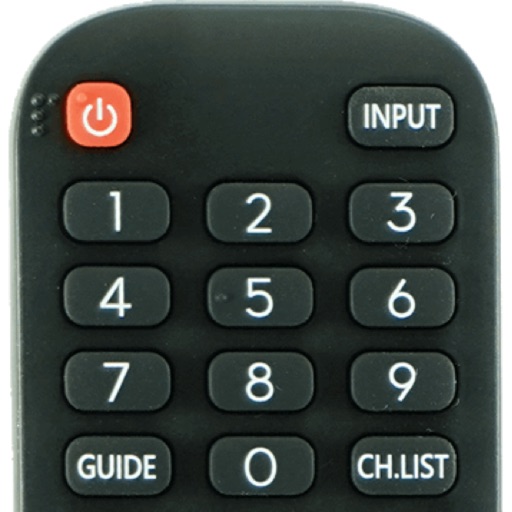
Devices with preloaded models including EN3V39H, 55H6E, and 55R6000E. Access saved profiles for quick use. Navigate with a fast touch pad and keyboard. Use a clean interface to manage device functions without installation.
by Oz Shabbatth★ 4.665 ratingsUtilitiesFreeData updated 2026-09-06
Control your TV with an iOS device as a universal . Adjust volume, change channels, and navigate menus. Support multiple brands with expanding compatibility. Simplify TV operations without physical .
Control your via smartphone using Bluetooth. Clone remotes freely. No internet required. Requires pairing with H&A Open Sesame Bluetooth device. Open remotely without external access.
Streaming devices with touchpad and gesture navigation. Access TV channels, apps, and settings. Adjust volume and mute. Pair with player or TV. View and manage channel listings. Remote lock and unlock device.
Test controller response and speed using BLE connectivity. Simulate controller performance with built-in tests. a game to assess controller accuracy. Connect Xbox, PS, or MFi controllers.
TV functions with a . Adjust volume, change channels, and navigate menus. Customize button layouts and save multiple device profiles. Supports major smart TV systems and over 100 TV brands.
Your TV or media player from an iOS device. Adjust channels, manage playback, and navigate menus remotely. Access a customizable interface for seamless media interaction. Sync with supported devices for real-time .
Control via phone with functions. Navigate TV content and manage playback. Adjust volume, skip tracks, and access menus. Customize UI for easier navigation and smoother interaction.
Control computers via sharing, trackpad/mouse, and Apple Pencil. Connect using RDP, SSH, Telnet, and VNC. Manage sessions, transfer files, and customize keyboard shortcuts. Supports iOS and Mac devices.
TV functions such as power, volume, and channel navigation. Adjust input sources and mute audio. Access streaming services and apps directly from the interface. Sync with TCL, , Hisense, or Insignia TVs.
TV with a smartphone, replacing physical remotes. Adjust volume, change channels, and navigate menus. Manage multiple devices including streaming boxes and sound systems. Customize layouts and save frequently used buttons.
Control your smart TV remotely via smartphone or tablet. Adjust volume, change channels, and navigate menus using a virtual . Type with device keyboard for faster input. Use touchpad navigation for precise control.
TV functions with a touchpad and integrated keyboard. Navigate menus and access settings quickly. Use voice commands to search for content. Access a sleek, intuitive interface. Compatible with multiple TV brands and models.
Securely connect to any computer worldwide using RDP or VNC protocols. Access remote desktops with Fluid Remote protocol for high performance. Set up quickly and reliably. Control remote machines with mouse and keyboard input.
Control your TV with a . Manage volume, channel, and input settings. Switch between supported brands like Samsung, LG, and Sony. Pair via WiFi and navigate using on-screen buttons. Adjust brightness and mute functions.
Control your computer remotely by launching applications, adjusting volume, and navigating the Mac filesystem. Customize commands for specific apps, open files, and use keyboard and mouse functions.
Your smart TV with a smartphone . Adjust volume, change channels, and navigate menus. Record and share screen content. Support multiple TV brands and models.
Control your TV with phone-based functions including power, volume, and channel navigation. Access smart TV features like launching and input switching. Customize button layouts for different devices.
Controls TV and streaming devices via Wi-Fi. Automatically detects connected devices. Includes a large touchpad for navigation. Adjust volume and channel. Access movies, music, and games. functions without physical buttons.
Samsung or LG Smart TV with iPhone via Wi-Fi. Adjust volume, mute, change channels, and navigate menus. Access play, pause, and stop functions. Manage power settings and avoid replacing physical remote batteries.