Apps Like His - SmartTV Remote Control for iPhone and iPad
Connect to your models instantly
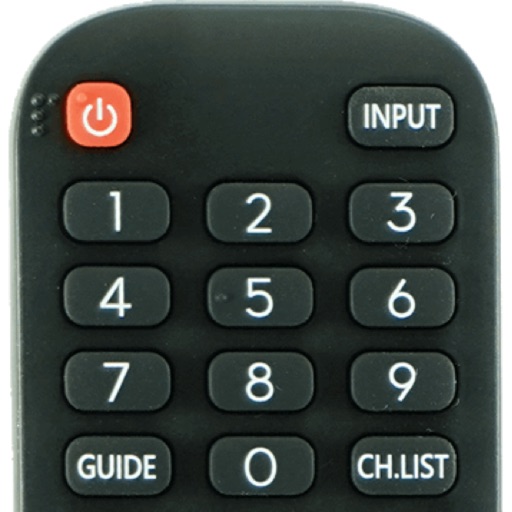
Devices with preloaded models including EN3V39H, 55H6E, and 55R6000E. Access saved profiles for quick use. Navigate with a fast touch pad and keyboard. Use a clean interface to manage device functions without installation.
by Oz Shabbatth★ 4.665 ratingsUtilitiesFreeData updated 2026-09-06
Turn your phone into a TV control. Adjust volume, change channels, browse menus, and power the TV on or off. Connect to most TVs instantly. Navigate with an easy-to-use interface.
Home appliances with a universal function. Manage TV, audio, and smart devices from one interface. Adjust volume, change channels, and toggle power settings. Sync with smart home systems for integrated device management.
Access desktop applications from anywhere remotely.
The app provides access to a user's desktop applications remotely. It supports multiple operating systems and offers customizable resolutions and session bookmarks for enhanced remote access.
The app allows an iPhone, iPad, or iPod touch to function as a wireless keyboard and trackpad for a Raspberry Pi. It sends keystrokes and mouse events over a network, enabling control for browsing, text editing, and programming.
Control smart devices with native support for Milight, LimitlessLED, EasyBulb, LIFX, Belkin WeMo, Indigo, and URL calls. Trigger actions via geofences, schedules, or voice recognition. Add custom attributes to commands.
Control your computer with a wireless and touchpad-style from your iPhone. Type on Mac or Windows PCs, navigate with cursor movements, and use a numeric keypad for precise input. Adjust settings and manage devices remotely.
Use AI ChatBot to access multiple advanced models like -5, -4o, Gemini 2.5, Claude, Grok, and DeepSeek. Select models for writing, coding, translation, reasoning, or creative tasks. Ask for detailed answers, fast responses, or creative ideas.
TV functions such as channels, volume, menus, and settings from an iPhone. Manage controls for multiple devices. Adjust brightness, contrast, and audio settings directly through the .
Access desktops securely from iOS devices. Launch applications like Word, Outlook, and Photoshop. Connect via two simple methods. Save session bookmarks. Adjust resolution and customize settings.
Control slides, trigger macros, and activate props from a mobile device. Manage timers and access cues during live events. Operate remotely from anywhere in the room.