Apps Like His - SmartTV Remote Control for iPhone and iPad
Connect to your models instantly
Devices with preloaded models including EN3V39H, 55H6E, and 55R6000E. Access saved profiles for quick use. Navigate with a fast touch pad and keyboard. Use a clean interface to manage device functions without installation.
by Oz Shabbatth★ 4.665 ratingsUtilitiesFreeData updated 2026-09-06
Multiple TV brands including Roku, Vizio, Fire TV, Panasonic, Philips, Hisense, and TCL via Wi-Fi. Navigate menus, adjust volume, and switch inputs. Access built-in apps and manage streaming services. Pair with devices using a simple setup process.
Multiple audio and video devices including TVs, Blu-Ray players, and streaming devices. Adjust volume across all connected devices. Access a comprehensive code library for various brands. Follow an online setup guide for easy configuration.
TV or streaming device remotely. Open apps, manage playback, adjust volume, and navigate menus. Connect via Wi-Fi, auto-detect devices, and pair instantly without manual setup.
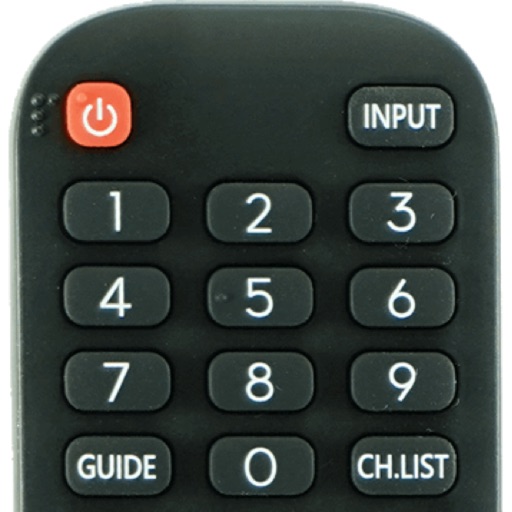
Devices from major TV brands with a remote. Turn devices on/off, navigate with a keyboard, manage TV apps, media players, adjust sound settings, and use a numeric keypad for channel input.
Control TV functions by swiping through menus and launching apps with a single tap. Type faster with on-screen keyboard. Search using voice commands. Manage media players and smart TVs remotely.
Replace your physical with a smartphone for TV or Stick. Control playback, adjust volume, and navigate menus. Connect directly to your device for simple, intuitive functionality.
TV functions like volume and channel navigation. Cast media to compatible devices. Manage multiple TV brands through a unified interface. Adjust settings and access essential features directly from an iPhone or iPad.
Devices with instant connection and one-tap access. Stream audio directly to your phone. Use voice commands, Siri, and Shortcuts. Access widgets and quick controls. Works on iPhone, iPad, Mac, Apple Watch, and Vision Pro.
Control media playback with remote commands, adjust volume, and switch channels. Access a library of streaming content. Manage playback settings and device connections. Sync with compatible TVs and streaming devices.
Control your TCL Smart TV with full access to power, volume, channels, input sources, and playback. Connect instantly via Wi-Fi and navigate using a touchpad. Adjust settings and manage playback directly from your smartphone.
Your Smart TV with your iPhone using this . Adjust volume, browse channels, access menus, and use playback controls. Compatible with major TV brands and models. Connect via Wi-Fi to the same network for operation.
TV functions via smartphone without a physical . Change channels, navigate menus, and manage launches. Adjust volume, pause, and rewind content. Connect to TV over Wi-Fi on the same network.
TV functions with an intuitive interface. Use voice commands to adjust settings and navigate menus. Manage playback, volume, and input sources without physical buttons.
Remote control allows users to manage home appliances from any location. Multiple devices can be controlled simultaneously through a single interface. A timer feature enables scheduled operation of various functions.
Television functions using smartphone as a universal . Navigate channels, adjust volume, and manage playback. Pair with devices via Bluetooth or Wi-Fi. Access channel guides and program schedules. Customize button layouts and shortcuts.