Apps Like Cut & Paste Photo Editor for iPhone and iPad
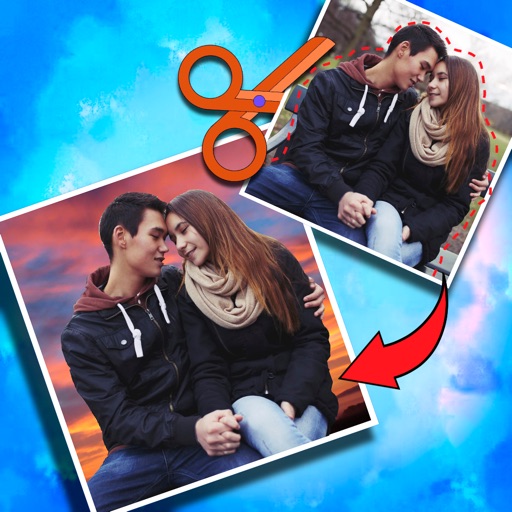
Crop photos and on new backgrounds
Crop photos and save individual cropped sections for later use. Combine cropped images with backgrounds or other photos to create new compositions. Apply filters to enhance the visual appearance of edited images.
by Koruskan SC★ 4.239 ratingsPhoto & VideoFreeData updated 2026-09-06
Remove backgrounds or objects using AI by adding a and tapping "remove." Adjust the new background to a custom color, white, another image, a gradient, or a preset. Add text, shapes, and photos to the edited image.
Edit photos with and subject focus tools. Adjust intensity manually or automatically. Remove unwanted objects from the . Apply filters and make color adjustments. Save and share edited images directly.
Edit stereoscopic images with auto-alignment and manual adjustment of L/R positions. Import L/R independent, SBS, MPO, or spatial photos. Display in SBS, mirror, 2D, anaglyph, or wiggle modes.
Record video clips for action classification with customizable frame rate and timing settings. Automatically capture multiple clips hands-free. Assign categories before recording and export files for use in CreateML training.
AI allows users to enhance photos using AI technology. Adjust skin tone, remove blemishes, and generate new poses and backgrounds. Edit portraits and headshots with dynamic AI features. Export edited images in high quality.
Crop and trim clips, split or duplicate segments. Adjust position, rotate, or flip. Apply filters and customize background color. Merge videos and change playback speed for slow or fast motion.
Apply filters to photos and videos for a cyberpunk aesthetic. Capture timelapses with advanced motion tracking. Use BrainFeverAI to detect and enhance automatically. Edit and share edited content directly.
Edit photos with filters, backgrounds, captions, and stickers. Add themed frames for holidays, birthdays, and milestones. Create collages and apply special effects. Share edited images directly.
Edit photos, remove backgrounds, generate new ones
Remove photo backgrounds using AI-powered tools. Edit or replace backgrounds with new ones. Export as high-quality PNG images. Share edited photos directly.
Edit photos with cropping, lighting adjustments, color correction, and professional filters. Design greeting cards and collages with customizable frames and layouts. Add personalized messages, stickers, and text to create unique invitations.
Edit photos with one-touch filters for vivid, delicious results. Adjust brightness, contrast, and saturation. Add text overlays and stickers. Share edited images directly to social media or blogs.
Apply creative filters to layers including blend, mask, pointillize, frame, distort, and more. Stack and save filter templates. Add motion with transition and create videos using built-in tools.
Combine multiple images into one collage with horizontal or vertical scrolling. Crop photos to select specific areas. Apply color effects to enhance visual appearance. Export the merged image for sharing or saving.
Edit photos with filters, backgrounds, patterns, textures, frames, and stickers. images to format. Access photos from the gallery or capture new ones with the camera. Apply creative tools to enhance and style images. Share edited photos directly.
Create collages by combining multiple photos using drag-and-drop layout tools. Edit individual images with cropping, filters, and brightness adjustments. Add text, stickers, and frames to enhance visuals.