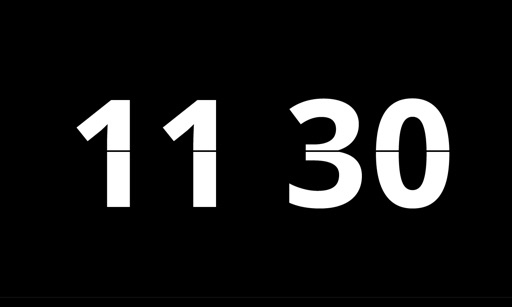
View the current time with customizable clock faces and color schemes. Swipe to switch styles and hide or show the seconds indicator. Display full-screen numbers with an optional seconds crawler for clear time visibility.
by Plaid, Inc. (OR)★ 4.816 ratingsLifestyleFreeData updated 2026-09-06
Display time with a , digital , and disc widgets. View a full-screen for prominent time display. Track progress with a progress bar widget. Access a Friday calendar widget. Adjust angles for different viewing positions.
Play full-screen photo slideshows on iOS devices and TVs. Import from , Camera Roll, or Wifibooth. Support premium features via one-time in- purchase. No ads included.
Customizable digital clock displays 12/24 hour formats with optional seconds. Shows dates in multiple international formats. Supports global time zones with easy switching. Can be positioned anywhere on the screen.
Display animations while your device is . Choose from multiple styles. Set up the through the . Animations start automatically when begins. No need to open the for them to run.
Add widgets to your home screen to display news, weather, calendar events, and more. Customize styles and colors. Easily add, remove, and adjust widgets through a simple interface.
Check timezones and location facts for cities worldwide. Add multiple to home screen. Customize background and appearance. View current time and date for selected locations.
Manage and customize World of Warcraft builds across multiple expansion versions. Create or load builds, adjust talents through tapping, swiping, or tooltips, and save progress for future use.
Track time until with a live showing hours, minutes, and seconds. Post updates to Facebook. Choose from preloaded songs or use personal music library. Play background music as progresses.
Explore profiles curated based on interests. Scroll to view one profile at a time. Swipe up to skip or tap to express interest. Connect with users through thoughtful interactions.
Use sound frequencies to dislodge from phone speakers. Tap to initiate the process. Clear trapped and restore sound quality quickly. No need for manual cleaning or drying methods.
Solve right-angled triangles by inputting known sides or angles. View step-by-step calculations and a scale drawing of the triangle. Access basic formulae. Enter angles in radians, decimal degrees, or degrees, minutes, seconds.
Display a large digital on a flat screen TV for photo shoots or home decor. Customize faces and colors. Sync with devices to show time from a distance. Share designs for use in professional settings.
Choose a winner by placing fingers on the screen and waiting 3 seconds. Customize with 30+ themes and immersive visuals. Assign tasks like cleaning or paying bills. Multiple fingers supported for group decisions.
Manage tasks with infinite checklists and customizable widgets for Home Screen. Sync checklists across devices via iCloud. Toggle items directly from widgets on iOS 17.
Speedrun timer allows users to adjust precision settings including seconds, tenths, hundredths, or thousandths. Set countdowns for run start. Display time or total . Track segments with their respective times.
Create polls in under 20 seconds and share them via WhatsApp, Telegram, iMessage, Messenger, Facebook, and other platforms. Allow respondents to reply through a browser or by downloading the . Receive notifications whenever someone submits an answer.
Allows users to set customizable timers with announcements. Adjust content and timing intervals. Track workouts, establish habit-based countdowns, manage children's discipline, and receive reminders for time-sensitive tasks.
Customize screen with animations and backgrounds. Download and set animations quickly. Access exclusive content via subscription. View and apply various visual themes during .
Track mileage and receive real-time updates on time status, next check mileage, and current average speed. Monitor seconds remaining to upcoming checkpoints and actual speed.
Tsingtao TikTok Information Technology Company Limited
Try AI haircuts in 15 seconds
Use AI to simulate styles from photos. Select an AI effect, upload a clear image, or take a photo. nd view the result in 15 seconds. Share the outcome directly.