Create art and share augmented reality experiences
Create and share digital art using augmented reality features. Import and edit images, apply filters, and add text. Collaborate in real-time with others. Export artwork in various formats and share via social media.
by Sankalpa Ghose★ 4.611 ratingsUtilitiesFreeData updated 2026-09-06
Use to place links, social profiles, contact info, videos, 3D models, audio, or images in real-world locations. View digital content in real size within your space. Share augmented content for others to explore using the camera.
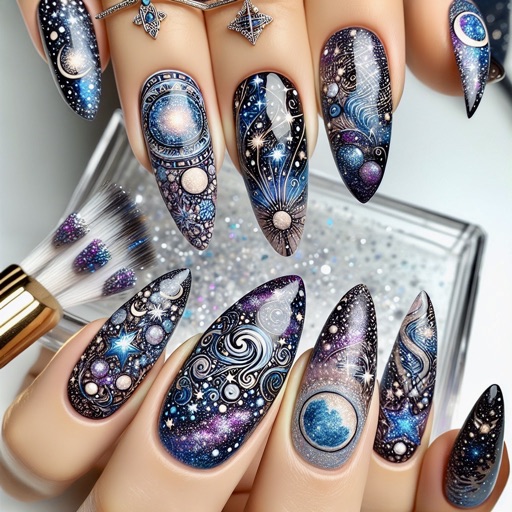
Create designs using AI-generated patterns and customize colors. Choose from various templates and adjust details. Save and share designs. Apply virtual art to photos or real nails via camera.
Edit videos with trimming, cutting, and splitting tools. Add transitions, effects, and text overlays. Import and export in various formats. Collaborate in real-time with multiple users. Adjust audio levels and apply filters.
Create custom using AI art generator with text prompts, multiple styles, and themes. Save and share AI-generated artwork. Explore 4D live with dynamic animations and interactive elements.
View 3D models of Power's 10 and 20 kWh batteries in real-world environments. Place, rotate, and inspect models using AR. Save and share interactive views of products.
Create plans by measuring spaces with your camera and augmented reality. Save plans as image, PDF, or SVG. Edit plans, add notes, and calculate square footage. Works on ARKit-enabled devices.
Edit videos with trimming, splitting, and cutting tools. Add transitions, text, and stickers. Apply filters and effects. Export in high quality. Share directly to social media platforms.
Create videos from photos, text, or images using AI-powered generation. Add music, filters, stickers, and effects. Edit videos with trimming, cutting, and transitions. Export and share finished videos directly.
360 COMPANY BILISIM TEKNOLOJILERI REKLAMCILIK MEDIKAL TURIZM SANAYI VE TICARET LTD STI
Draw with AR and AI to create
Draw on real-world surfaces using augmented reality. Trace and with AI-powered tools. Edit and refine drawings with color, brush size, and opacity controls. Share creations directly from the .
Create custom stickers with text, images, and emojis. Add sound effects and animations. Share stickers across platforms. Edit and organize collections. Export stickers in various formats.
Create art with customizable canvas sizes and an extensive coloring library. Edit using undo and redo functions. Export as PNG, video, or GIF. Share artwork on social media. Animate pixels and access additional tools.
Create with realistic effects using a professional engine. Customize text appearance and animate it. Export as images or videos. Share directly to WeChat. Save creations to the device album.
Draw on physical paper using AR templates for tracing and sketching. Paint and color directly on paper with digital tools. Save and share artwork. Adjust brush settings for pressure sensitivity and stroke control.
The app displays 3D package renderings in Augmented Reality on an Apple device. Users can view and manipulate 3D objects, including packaging mock-ups with artwork and print effects.
Create and customize characters using an intuitive with hundreds of ready-made templates. Edit multiple elements simultaneously. Use advanced drawing and coloring tools. Generate skins with AI. Import and export creations.
Create digital artwork from text prompts using AI. Adjust style, color, and detail settings. Export images in various formats. Share artwork directly or save to device. Collaborate in real-time with others on projects.
Create animations using LEGO, clay, drawings, or everyday objects. Record frame-by-frame videos, adjust timing, and add sound effects. Export films in various formats and share directly.
The app combines augmented reality with QR technology. It integrates virtual information with the user's view, offering a more intuitive and engaging experience beyond screen limitations.