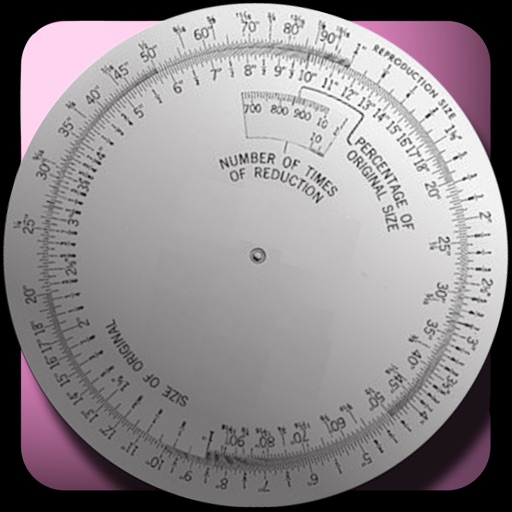
Calculate resolutions and aspect ratios by inputting one dimension and a ratio. Adjust ratios with a tap. Save calculated resolutions for future reference. Scale resolutions while maintaining aspect ratio.
by Sun Apps, LLC★ 4.5961 ratingsDeveloper Tools$0.99Data updated 2026-11-19
Resize images to custom sizes with pixel, millimeter, centimeter, or inch units. Maintain aspect ratio by linking width and height fields. Save, email, print, or share edited images. No ads or in- purchases.
Provides basic arithmetic operations, memory storage and recall, and support for multiple orientations. Users can perform calculations, save results, and switch between portrait and landscape modes.
Create QR for sharing links, contact information, and WiFi networks. Select from seven actions to generate . Save to a personal library. Scan QR with the Camera or within the .
Manage servers by adding them to the . View online , player list, host, port, message of the day, server version, and ping. Check domain SRV records. Server owners can disable player list visibility.
Create comparisons by placing two images side by side in an interactive . Adjust the split point to highlight changes. Share the comparison directly or export as an image. Support multiple aspect ratios for different display needs.
Configure and manage VPN connections for multiple providers. Select presets for Hide.me, IVPN, Mullvad, NordVPN, and others. Connect to servers, toggle encryption, and monitor usage. Manage profiles and switch between providers instantly.
Pop Out displays a floating , , pomodoro, or in picture-in-picture mode. Users can move, resize, or hide the window. It supports precise timing for tasks like presentations or workouts. Subscription payments are processed through iTunes.
The app calculates new image dimensions while maintaining aspect ratio to prevent distortion. It offers fraction and percent modes, and an image scale tool for precise pixel sizing with a preview.
Record with one tap, capture high-resolution video without ads or watermarks. Include system audio and microphone input. Edit recordings with trimming, cropping, and effects. Export videos to photo library.
Edit with a Sublime-like interface. Open and edit local and remote files via Dropbox, OneDrive, FTP, SFTP/SSH. Support multitasking, split-screen, and iPadOS mouse. Use Siri Shortcuts for automation. Enable multi-caret editing for efficient coding.
Capture moments with filters and cinematic effects
Capture photos with full manual controls over shutter speed, ISO, and white balance. Apply 35mm filters inspired by Kodak, Fuji, and Agfa. Use cinematic effects to enhance images and preserve memories as -style photographs.
Stream video and audio via USB-C connection using a UVC capture card or dongle. Display content as a full-screen monitor. Access open-source code and use all features without ads or data collection.
Track initiative, health, and conditions for characters and monsters. Manage experience points and apply status effects. Generate random encounters and calculate difficulty levels. Access a iary, spell list, and magic items.
Edit photos by flipping, rotating, cropping, and applying filters. Use AI to suggest optimal filters. Flip images live during camera use. Batch edit multiple photos and save directly to the library.