Apps Like Pro Avatar:Profile Image Maker for iPhone and iPad
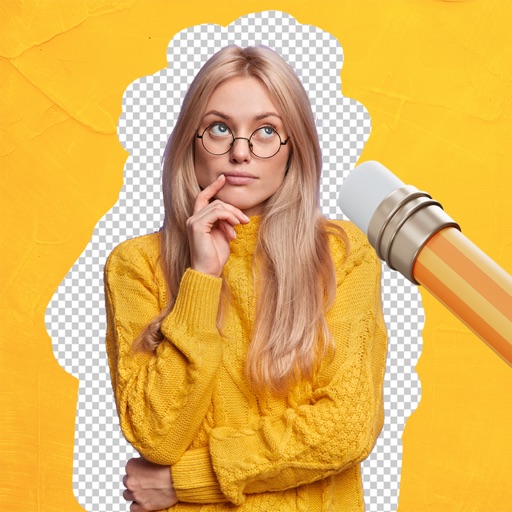
Remove background with one click
Remove backgrounds from images using U^2-Net technology. Apply customizable themes and color backgrounds. Enhance social media profiles with professional-looking designs. Export edited images directly.
by Tuan Huynh★ 4.786 ratingsGraphics & DesignFreeData updated 2026-09-06
The app allows users to remove blemishes like pimples, moles, and scars from photos. Users can select areas to edit, and the app processes the image to create a natural appearance.
Apply bokeh, disc, Gaussian, morphology gradient, motion, or zoom blur effects to images. Adjust colors and enhance or remove them for improved visuals. Export edited images in various formats.
Create story highlight covers with customizable templates, text, and visual effects. Add titles and adjust colors. Export and share covers directly to social media profiles.
Edit photos by removing backgrounds with mode, object extraction, and quick select tools. Use transparent backgrounds for stamps and collages. Share edited images directly with other apps.
Apply New frames to photos. Add stickers and shapes. Create collages with holiday patterns. Customize designs for Hindu culture celebrations. Share edited images directly.
Remove unwanted , people, text, or distractions from photos. Use AI to automatically elements with a tap. Edit images by selecting areas to delete and refine the result. Save and share the cleaned-up photo directly.
Create posters and flyers using ready templates. Add text, images, and graphics. Customize colors and layouts. Export designs in various formats and share directly.
Add creative borders to images with adjustable colors and gradients. Choose from multiple border styles and layer saved borders for unique designs. Share edited images directly to social media platforms.
Customize iPhone 14, 15, and 16 Pro and Pro Max dynamic island screens with over 100 unique . Choose from minimalist or vibrant designs. Set home and lock screen backgrounds. Download and apply directly.
Create custom themes by combining wallpapers, icons, and inspired by . Design with backgrounds or quotes. Choose or design -themed icons for apps. Personalize home screen layouts with customizable elements.
Generate AI art by inputting text descriptions and selecting art styles like oil or sketch. Create unique fantasy images in seconds. Access pre-designed templates for inspiration. Export and share generated artwork.
Edit photos with AI-powered removal and background erasure. Adjust colors, brightness, and contrast. Add text and stickers. Export in various formats and share directly.
Customize home screen , icons, and with pre-made or user-created designs. Adjust backgrounds and text. Use personal photos for custom designs. Apply and set up in under a minute.
Create ID photos with intelligent makeup and skin adjustments. Choose from multiple clothing templates. Remove and replace backgrounds automatically. Select from various size options. Generate ID photos quickly with a large-capacity layout.
Remove backgrounds from images using AI-powered tools. Select areas to erase and automatically cut out subjects. Export as transparent PNG files. Adjust edges and refine results manually. Share edited images directly.
Edit photos to improve clarity and sharpness using AI technology. Remove blurriness and enhance image quality. Adjust brightness, contrast, and color. Save and share edited photos directly.
Edit photos with AI-powered background removal and custom background options. Apply artistic effects like cartoon styles. Enhance portraits with AI adjustments. Export edited images in various formats.
Create photos compliant with country-specific guidelines. Adjust size, background, and pose. Crop and resize images. Save and print directly. Verify against global standards. Export in standard formats.