Edit photos with text addition, drawing tools in multiple colors, and cute icon placement. Crop images using various ratios. Export edited photos in different formats.
by nguyen thanh★ 4.166 ratingsPhoto & VideoFreeData updated 2026-09-06
Edit photos with advanced filters, color adjustments, and mathematical transforms. Apply custom brushes and import Photoshop brushes, curves, and fonts. Repaint images and export in various formats. Share edited work on Instagram.
Edit photos with AI-powered removal and background erasure. Adjust colors, brightness, and contrast. Add text and stickers. Export in various formats and share directly.
Edit photos with retro filters and . Add antique textures and color adjustments. Apply nostalgic styles for a timeless look. Save and share edited images directly.
Edit photos with motion , bokeh lens, and mosaic effects. Adjust brightness, contrast, and color. Crop images to various sizes. Share edited photos directly. Apply to the entire image, background, or specific faces.
Edit photos with filters, masking, and color adjustments. Adjust brightness, contrast, and hue. Draw on images with customizable colors. Crop, rotate, and apply blur or focus effects. Export photos to the library.
Create visual stories with built-in editing tools and customizable templates. Adjust brightness and add effects. Insert stickers, emojis, and text. Organize photos into collages.
Create flyers, posters, logos, and social media graphics with customizable fonts, filters, shapes, and artwork. Add text, adjust colors, and export designs for print or online use.
Apply infrared-style filters to photos for a surreal, desaturated look. Adjust color balance and contrast to enhance the film-like effect. Share edited images directly or export in various formats.
Create collages by combining multiple photos from the gallery. Choose from various frames and themes. Apply filters to enhance images. Share collages directly to social media platforms. Edit individual photos with cropping and adjustment tools.
Edit photos using 100+ filters and textures. Capture photos with one tap for authentic film-like results. Apply instant effects and choose from 60+ textures. Export edited photos in various formats and share directly.
Edit photos with and reshaping tools, skin smoothing, and blemish removal. Apply subtle aesthetic filters. Edit selfies quickly for social media. Use AI to enhance facial features and overall appearance. Export edited images in various formats.
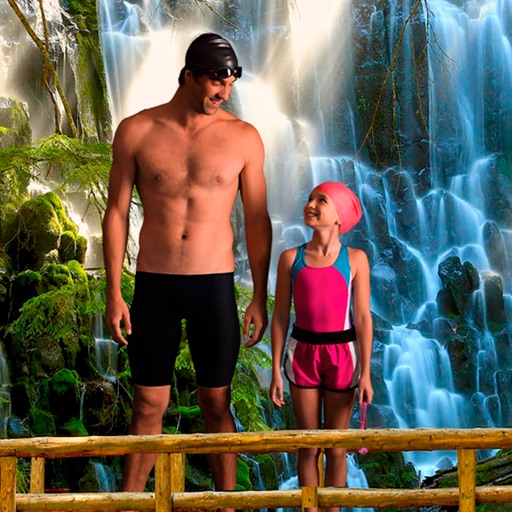
Select a from the collection. Crop a photo by pressing the silhouette button and drawing the desired area. Place the cropped image within the chosen scene. Share the final composition.
Apply to photos using the built-in image editor. Select from a gallery or take a new with the camera. Add to enhance images of children. Save and share edited photos directly.
Try on different styles with adjustable fit. Add masks, stickers, and effects to photos. Edit selfies and adjust placement. Share edited photos directly to social media.
Create photos without cropping. Edit images with filters, backgrounds, and layout adjustments. Make photo collages using hundreds of layouts. Share high-quality photos to social media platforms. Adjust ratios and add text for customization.
Edit photos with filters, cropping, and adjustment tools. Add text, stickers, and borders. Export in various formats and share directly. Apply advanced effects and retouch skin tones. Adjust brightness, contrast, and saturation.
Edit photos with effects, spirals, art, and beauty filters. Add background arts and adjust brightness. Export edited images in various formats and share directly.
Convert photos to and with one tap. Apply various monochrome filters for different styles. Adjust brightness, contrast, and grain. Crop and resize images. Save and share edited photos directly.
Edit photos with cropping, resizing, and removal tools. Apply filters, adjust colors, and add text overlays. Export images in various formats and share directly to social media or online stores.