Upload clean music for verification by 12 listeners. Create campaigns with customizable toolkits. Manage in- subscriptions. Track campaign performance. Contact support for assistance. Share verified content with audiences.
by Steven Everett★ 4.4102 ratingsMusicFreeData updated 2026-09-06
Stream music and podcasts with offline downloading. Manage playlists and set playback controls. Filter content by ratings and categories. Access curated video content. Set parental controls to restrict inappropriate material.
Listen to radio channels, podcasts, and DJ sets. Stream live music and discover global radio stations. Access campus radios and curated playlists. Follow favorite content and receive updates on new releases.
Record vocals by importing songs from the music library and tapping record. Apply effects like Delay, Reverb, Filters, EQ, and Compressor to enhance audio. Export and share the final recording.
Stream music including remixes, minimixes, megamixes, and new singles in English and Arabic. Access musical news and links to YouTube and Instagram. Share content and discover trending tracks.
Create AI-generated music by describing sound, selecting style, and adding a title. Export tracks in audio format. Share songs on social media or with contacts. Sync with music libraries for playback.
Connect with lovers by saving and sharing songs and playlists from Spotify or Apple . Analyze preferences to find compatible communities. Comment on and engage with friends' . Save and interact with shared tracks and playlists.
Explore a library of Adventist hymns, Christian songs, and uplifting music. Search by genre, artist, album, or song title. Create and save playlists. Share favorite tracks with others.
Stream music and podcasts from a catalog of user-uploaded content. Subscribe for access to favorite artists' full catalogs. Support creators with payment options starting at $1. Share playlists and follow artists. Sync across devices.
Stream music, mix shows, podcasts, and talk shows. Access news, blogs, and local content. Listen to curated playlists from DJs. Receive real-time updates and schedule favorite shows.
Stream and videos with picture-in-picture and background playback. Create unlimited customizable playlists. Import audio and video files. Access full-screen video playback. Premium version removes ads.
Create and manage playlists of favorite songs. Access in-depth music content from top artists. Discover local and traveling stations. View song details with a quick access player bar. Submit prayer requests and share daily verse images.
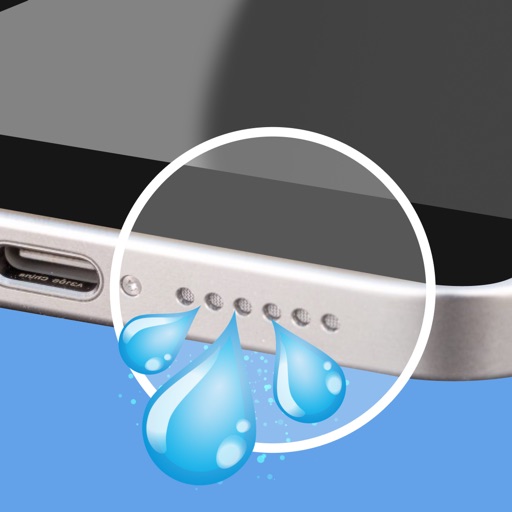
Clean and maintain iPhone speakers by removing trapped , dust, and debris. Use advanced sound waves to instantly, blow away particles, and restore clear audio quality. Perform these actions with a single tap.
Manage music releases with real-time analytics and revenue tracking. Distribute music across platforms. Promote tracks with built-in tools. Access artist development resources. Monitor sales and streaming data. Request faster payouts.