Apps Like Water Ejector : Water Eject for iPhone and iPad
And restore sound clarity
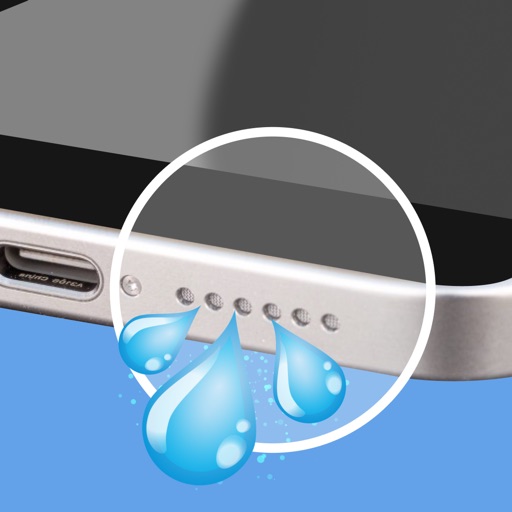
Clean and maintain iPhone speakers by removing trapped , dust, and debris. Use advanced sound waves to instantly, blow away particles, and restore clear audio quality. Perform these actions with a single tap.
by Pankil Patel★ 5.02 ratingsMusicFreeData updated 2026-09-06
Clean output by removing and debris. Users can trigger vibration to dislodge moisture, adjust audio settings for clarity, and check status. Includes a guide for manual cleaning and troubleshooting tips.
Use sound wave technology to remove and dust from speakers. Activate automatic or manual cleaning modes. Clear debris and restore audio clarity and volume.
Clear8 uses sound frequencies to remove trapped from iPhone speakers. Tap to eject droplets and restore volume. Check health and run maintenance tests to ensure optimal audio performance.
Eject water from speakers using sound frequencies. Adjust frequency settings for effectiveness. Monitor removal progress in real-time. Features a simple and intuitive interface for easy use.
Generates tones between 0 Hz and 25 kHz to remove dust and from speakers. Users can manually set frequencies and adjust cleaning duration. It tests performance and clears debris for improved audio quality.
Use sound frequencies to dislodge from phone speakers. Tap to initiate the process. Clear trapped and restore sound quality quickly. No need for manual cleaning or drying methods.
Use advanced frequency cleaning to generate sound waves between 0 Hz and 20 kHz, breaking down particles in speakers. Activate automatic cleaning mode to run a preset session. Monitor progress and manually control cleaning intensity.
Test performance by playing calibration tones. Identify muffled sounds through frequency testing. Adjust volume and orientation for accurate results. Choose models for targeted testing. Subscribe for advanced features.
Clean iPhone speakers by generating a sine wave . Adjust frequency with swipe gestures. Control intensity for effective moisture removal. Perform cleaning sessions to restore speaker clarity.
Control cleaning with adjustable frequency settings and volume levels. Select specific speakers for targeted cleaning. Monitor progress and adjust settings for optimal results.
Helps remove from phone speakers using tested frequencies. Users can select free or premium frequency programs to and restore speaker quality. The provides ongoing assistance for maintaining speaker performance.
Play high and low frequency sounds and vibrations to remove from iPhone speakers. Use manual mode for custom frequency settings or automatic mode for predefined settings. Initiate removal process and monitor progress.
Use sound frequencies to remove and dust from speakers. Test speaker performance with precision. Monitor sound levels with a noise meter. Clean speakers by tapping the . Restore audio clarity without manual intervention.
Use optimized sound frequencies to clean phone speakers and remove buildup. Initiate one-tap mode for instant cleaning. Test performance before and after cleaning. Monitor noise levels with a decibel meter. Adjust volume safely for iPhone speakers.
Test phone speakers with tones ranging from 0 Hz to 25 kHz. Use manual or automatic mode to assess performance. Perform stereo tests to evaluate sound quality. Clean speakers by generating frequencies to remove dust and buildup.