Edit photos with filters, effects, and adjustments. Add text with multiple fonts, colors, and effects. Overlay text or add captions and 3D text. Include stickers, artwork, and frames. Create collages and personalize cards with photos.
Convert images and selfies into - illustrations using AI. Choose from various artistic styles including classic and modern digital art. Adjust poses and facial expressions for personalized results. Export and share the generated artwork.
Resize and crop images with precise aspect ratio control. Batch process multiple files for efficiency. Export in various sizes including @2x and @3x. Edit metadata and prepare images for social media or professional design use.
Convert photos into artistic styles like cartoons, watercolors, and pencil sketches using AI. Apply filters and adjust details. Save and share edited images directly.
The app transforms photos into halftone and rasterized artwork using dots, lines, and shapes. It offers creative modes like Grid, Interlaced, Radial, and Photo, with options for bicolor, multicolor, or full color.
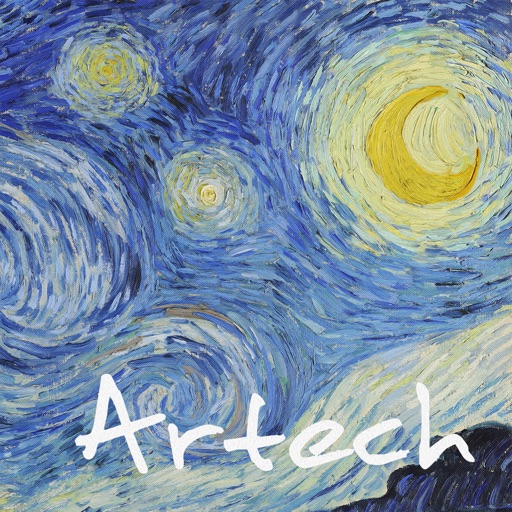
Transform images into artwork using famous art styles like The Starry Night and The Great Wave off Kanagawa. Apply AI-generated patterns with neural networks. Edit and share the resulting artwork directly.
Generate AI images by entering prompts and selecting from multiple art styles like photo realistic, anime, or 3D. Expand images beyond borders. Recreate existing images with simple prompts. Choose from over 10 AI models to customize art style.
Allows users to write and edit OpenGL ES 2.0 shaders in real time. It provides code highlighting and live preview features with resizable and fullscreen options. Shaders can be used in SpriteKit projects for prototyping effects and generative art.
Edit photos with text effects and auto background changes. Add customizable signs and text. Adjust brightness and contrast. Save and share edited images directly.
Edit photos with a wide range of effects, from basic adjustments to advanced graphic transformations. Repaint images using various brushes and import Photoshop brushes. Share edited photos on Instagram with the # tag.
Convert images to scalable formats like SVG or EPS. Upload PNG, JPG, or BMP files and automatically trace edges for precise outlines. Edit paths, adjust colors, and export files for printing, web use, or CNC cutting.
Edit photos with and vintage effects like lights, Miami Filter, and UV. Apply gradient map-based for night lighting. Create abstract designs with colored glass effects. Adjust brightness, contrast, and color balance.