Create passport photos with customizable sizes and background colors. Adjust facial features like slim face, big eyes, whitening, and skin smoothing. Save individual or arranged photos locally without uploading facial data.
by 新乐 陶★ 4.7110 ratingsPhoto & VideoFreeData updated 2026-11-09
Create or visa photos with automated background adjustment and customizable attire options. Enhance images with beautification tools. Save and share edited photos directly.
Create collages by mixing and arranging photos, rotating, and moving them freely. Add text, stickers, and backgrounds with customizable fonts, sizes, and colors. Draw or write on photos using a doodle tool. Export and share finished collages.
Edit photos with text effects and auto background changes. Add customizable signs and text. Adjust brightness and contrast. Save and share edited images directly.
Edit photos with skin smoothing, blemish removal, and tone adjustment. Resize body parts, whiten teeth, and change hair or eye color. Apply makeup, add filters, and adjust lighting. Save and share edited images directly.
MOBILINA BILISIM YAZILIM VE DANISMANLIK HIZMETLERI TICARET ANONIM SIRKETI
Edit photos with AI-powered tools
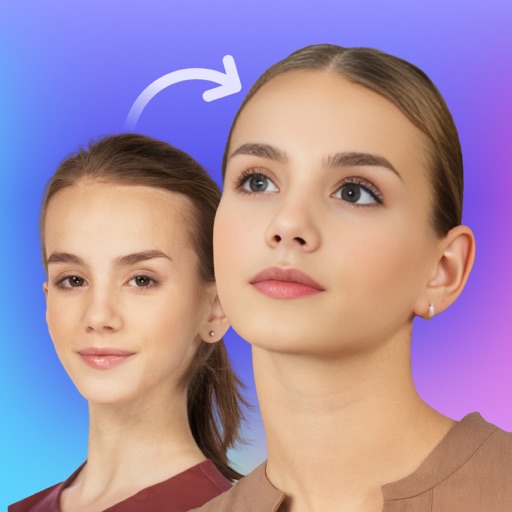
Edit photos with AI-powered face enhancement, background blur, and lighting adjustments. Adjust pose, expression, and style. Export in high resolution and share directly.
Swap faces in photos with AI technology. Adjust facial features and expressions. Anonymize or prank by replacing faces in profile portraits. Handle complex cases like sideways faces, glasses, and headwear. Swap faces up to 1024 px in size.
Apply makeup with customizable brushes and color options. Adjust skin tone, brightness, and clarity. Remove blemishes and redness. Enhance eyes and lips with precision tools. Save and share edited photos directly.
Generate AI-powered photos from two parent images using facial recognition. Edit generated images with filters and cropping. Share photos directly to social media. Adjust facial features and expressions. Save and view generated images in a gallery.
Edit photos with skin retouch tools to remove blemishes and enhance texture. Adjust for eyes, lips, cheeks, and brows. Change hair color using a salon-style tool. Edit body shape with a body tuner. Apply selfie filters and save edited images.
Edit photos to create formats without cropping. Add blurred backgrounds to full-size images. Resize, rotate, and adjust photos. Save in high quality and share directly.
Create custom anime characters by mixing and matching facial features, hairstyles, clothing, and accessories. Adjust makeup, eyes, lips, and body type. Save or share generated images as wallpapers or social media posts.
Create collages with customizable blur backgrounds and adjustable layouts. Apply filters like black and white, vintage, and retro to enhance images. Edit photos by resizing, cropping, or deleting elements.
Create by adding photos or to customizable frames. Adjust images with zoom, rotation, and movement. Choose background music or mute the video. Share finished with friends and family.
Edit photos with cropping, brightness adjustment, and color correction. Apply filters and beauty tools to enhance skin tone and remove blemishes. Save and share edited images directly.
Edit photos with effects, filters, and motion stickers. Apply virtual and adjust skin tone. Snap selfies with candy filters. Share edited photos to social networks.
Edit photos with eye detection tools. Change eye and lens style. Adjust pupil size and shape. Remove red eye and whiten eyes. Add sparkle effects and rotate them. Morph face shape for enhanced edits. Export edited images directly.
Edit photos with skin tone adjustment, blush application, and shine reduction. Enhance eyes, lips, and teeth with tools. Mix colors for custom looks. Export edited images in various formats.