Create custom resolution and aspect ratio masks with adjustable transparency and color. Apply frames to images or videos. Export with specified formatting options.
by 梓皓 唐★ 0.00 ratingsUtilitiesFreeData updated 2026-09-06
Create AI-generated avatars and high-resolution portraits from photos. Choose styles like black-and-white sketches or colorful paintings. Edit and customize generated images. Export and share unique profile pictures for social media.
Customize text, choose colors, display messages full
Create custom scrolling or static text messages with adjustable font size and color options. Choose from text and background colors. Display full screen without internet. Supports emojis and multiple effects like blinking.
Edit with , , and collage tools. Create montages and custom layouts. Adjust brightness, contrast, and saturation. Add text and stickers. Export edited images in various formats.
The app allows users to design posters, T-shirts, and canvas prints using iPhone photos. Users can customize images with frames and stamps, then place orders for unique items.
The app allows users to create custom countdown counters for specific dates and times. It also supports counters that read upcoming events from public Google Calendars, automatically advancing to the next event.
Create custom wallpapers by combining photos of models, actors, sports stars, and personal images. Choose from various icon backgrounds and place them freely. Edit images with effects and adjust styles.
Create collages by selecting multiple photos and choosing from various layouts. Apply filters, add stickers, and include text to edit the . Generate 3D collages with different frames for a realistic 3D effect. Share the final directly.
Securely scan high-resolution images of a decedent’s hands for custom remembrance keepsakes. Use guided prompts and built-in quality checks during the capture process. Export scan data for 3D modeling and casting.
Edit photos with enhancement tools, effects, and frames. Add stickers and overlays. Crop, rotate, and adjust brightness, contrast, and saturation. Remove blemishes and red eye. Apply color splash and sharpen or blur images.
Pp store-ready images for multiple device resolutions with customizable layouts and color options. Add custom text and simulate screenshots. Create icons from a single image in various resolutions.
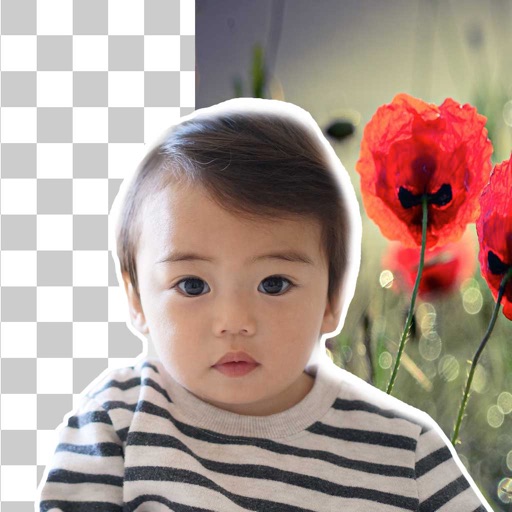
Remove backgrounds from photos using brush tools with adjustable size and hardness. Erase selected areas with undo and redo options. Add text with customizable font and formatting. Place edited photos on various templates.
The app provides a fisheye lens effect with adjustable distortion. It offers single and multi-lens modes, allowing users to capture unique perspectives of their surroundings.
Convert videos to high-quality files. Extract soundtracks, trim clips, and create custom iPhone ringtones. Choose output formats and export directly. No internet required.
The app allows users to combine multiple photos into framed images. Users can select frames, apply filters, and adjust frame colors or patterns before sharing their creations.
Analyze images or video frames by importing up to six images or selecting up to six frames from a video. Create visual diagrams, add markup, and export templates for explanation. Tailor layouts based on content.
Turn photos into smooth videos with customizable aspect ratios and transition styles. Add text and music. Export for Instagram, TikTok, Facebook, YouTube Shorts, and more. No ads or watermarks. Share directly or embed in websites and presentations.
Display photos with customizable frames and widgets
Display photos with customizable frames and transparent overlays. Choose from various themed frames to enhance visuals. Add widgets to desktop for easy access. Personalize layouts with adjustable options. Share edited photos directly.
Create personalized -Me stickers by combining standard emojis with selfies or photos from your library. Choose from various custom photo frames and select from all available device emojis. Share -Me stickers across compatible apps.