Create custom resolution and aspect ratio masks with adjustable transparency and color. Apply frames to images or videos. Export with specified formatting options.
by 梓皓 唐★ 0.00 ratingsUtilitiesFreeData updated 2026-09-06
The app turns an iPhone into a flashlight. It offers features such as adjustable brightness, an LED scroller for custom messages, SOS alert mode, strobe mode, and a fullscreen light with a color picker.
Create geometric patterns and ornamental designs with adjustable shapes and colors. Generate 3D models, kaleidocycles, Escher-style spirals, and animated GIFs. Export as videos or images. Transform and deform patterns with intuitive tools.
Create videos using AI-generated content. Upload images or text to generate clips. Edit and customize length, style, and background. Export and share finished videos directly.
Convert images and videos to emulate retro computer and console visuals. Apply pixel art filters for Commodore 64, IBM PC, ZX Spectrum, Amiga, Atari ST, Sega Mega Drive, Game Boy, and more. Adjust color palettes and resolution settings.
Count down to a special event with customizable features. Set days, hours, minutes, and seconds. Choose or upload a background image. Add a title with adjustable font size, family, and color.
Create AI videos from photos with animation and style options. Generate photo packs with character transformations. Edit videos with built-in tools. Export and share finished projects.
Create New countdown videos using photos and music. Add holiday frames and stickers. Arrange images into slideshows. Edit videos with background music. Export and share finished videos.
Create and customize with photo uploads, font editing, and color scheme customization. Add photos to , adjust fonts, and apply custom color schemes. Access all features without ads through subscription options.
Add time stamps, GPS coordinates, and exact addresses to photos and videos instantly. Enable grid, aspect ratio, switch, flash, focus, and timer settings. Store user locations automatically and reverse-geotag addresses.
Edit photos with advanced tools like layers, masks, and adjustment brushes. Crop, rotate, and resize images. Add text, stickers, and special effects. Export in various formats and share directly.
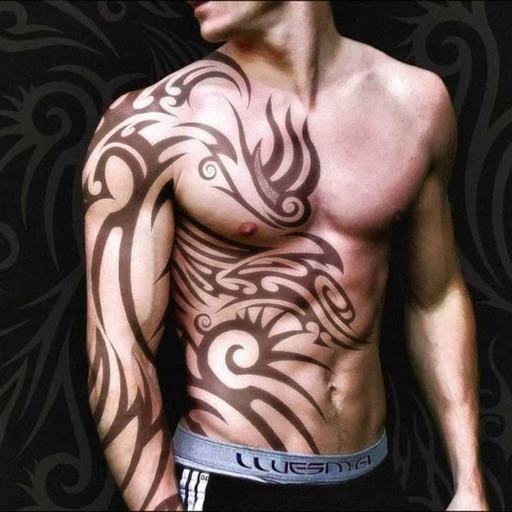
Create tattoos on photos with high-definition images. Select from various styles like dragon, color, love, and kanji. Apply effects and save or share directly. Choose photos from camera or gallery.
Convert PDFs to editable formats like Word, Excel, and images while maintaining quality. Edit documents with text formatting and annotations. Create custom stickers with text and graphics to personalize messages.
Create unique wallpapers to the iPhone and achieve a clean, streamlined look. Design custom images with intuitive controls and apply them directly. Adjust settings to fit your device's display.
Create videos from multiple selected frames with customization options. Edit photos by zooming, rotating, and dragging within frames. Combine multiple frames into a single large .
Create AI-powered videos from text prompts. Apply trendy effects and filters. Experiment with liquid metal and artistic styles. vatars that speak. Export and share videos directly.
Remove backgrounds with one-tap AI detection. Adjust edges and transparency manually. Replace backgrounds with solid colors or images. Export edited photos in high resolution.
Record in HD with adjustable resolution and internal audio capture. Overlay front camera during recording. Edit videos and share directly without watermarks or time limits.