Design and test electronics projects in a virtual workspace. Simulate circuits using over 150 components and 1,000 reference boards. Adjust 3D models and view physics-based interactions. Export project data and share designs.
by Krueger Systems, Inc.★ 4.172 ratingsEducation$12.99Data updated 2026-10-15
Learn theory with interactive lessons on voltage, current, resistance, and Ohm’s law. Explore detailed wiring diagrams and circuit schematics. Use built-in to calculate loads, analyze circuits, and simulate real-world wiring scenarios.
Select a country to view accurate codes specific to its electrical standards. Identify circuit colors for safe wiring. Access detailed guidelines for international compliance. Save and share configurations for future reference.
Create and share organizational charts automatically
Create and manage organizational charts without manual drawing. Add and customize elements with color, shape, size, and text. Automatically arrange elements and share charts. Sync updates across devices. Export charts in multiple formats.
Learn boolean algebra and digital circuit concepts through interactive logic gate puzzles. Build and test circuits using AND, OR, XOR gates, and other components. Unlock advanced elements and create custom circuits in Playground Mode.
Calculate circuits, convert units, test experiments
Solve electrical problems by calculating voltage, current, and resistance. Input values to determine unknown variables. Perform unit conversions and conduct experiments. Store and retrieve calculation results.
Safari extension for social networking sites lets users distracting elements like comments, recommendations, and notifications. Customize visibility on YouTube, Facebook, Twitter, Instagram, Reddit, LinkedIn, and Gmail.
Explore architectural designs using interactive 3D models and linked documentation. Navigate projects with game-like controls. View construction details and design intent. Share and collaborate on projects across devices.
Create fashion designs using 1,800+ templates and material brushes for fabric textures. Use technical brushes for production drawings. Generate AI-powered videos. Arrange layouts on presentation boards.
Contractors can scan product barcodes to access technical documents and warranty information. Search model numbers for spec sheets, parts lists, and product details. Access sizing tools and other resources directly through the .
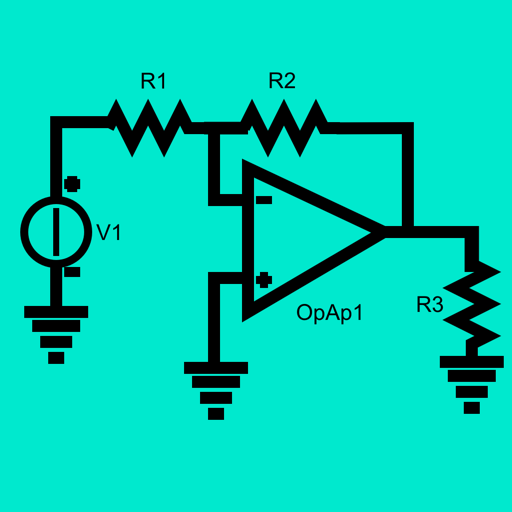
Analyze electronic circuits with multiple methods.
The app analyzes electronic circuits using modified node analysis. It supports DC, AC, multifrequency AC, and transient analyses for linear and non-linear circuits with various sources and components.
Control hardware via Bluetooth with . Send commands to Arduino, ESP32, Raspberry Pi Pico, and other BLE devices. Adjust settings, trigger actions, and monitor device status in real time.
Manage and organize academic with search capabilities across multiple databases. Import and store PDFs of articles. Create static and smart groups for categorization. Share for reading or importing into desktop tools.
Simulate hard drive failures to understand loss scenarios. Explore virtual hard drive components and failure processes. Learn about methods through interactive visuals.
Create mood boards with customizable layouts and fonts. Choose background colors and add images from Google or Unsplash. Edit boards, export as PDF, and share via Instagram Story.