APPAS SOLUTIONS, SOCIETATEA CU RASPUNDERE LIMITATA
Capture low-light scenes with infrared and thermal
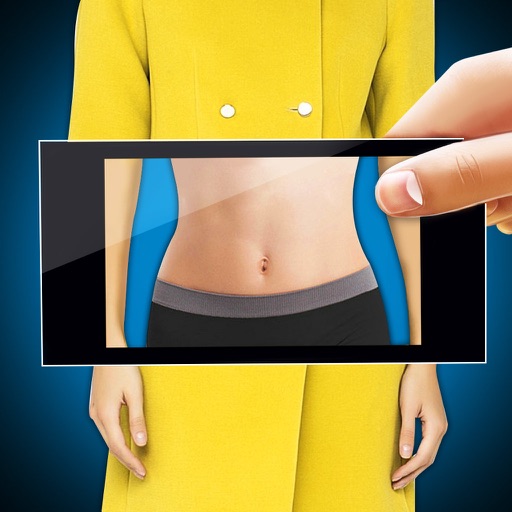
Take photos in low light using three modes. Capture infrared, X-ray, and thermal effects. Zoom in with binoculars and apply temperature effects. Adjust settings for optimal visibility in environments.
Edit photos by blurring backgrounds, faces, or specific subjects. Apply various effects and filters. Save edited images to the camera roll or share them directly.
Apply black-and-white filters to photos with options like B&W, DYNAMIC, and TOYCAM. Adjust exposure, brightness, contrast, and saturation. Select a preferred effect with a single tap. Export edited images directly.
Create reflection effects with left-right, up-down, or repeat options. Apply effects and designer frames to enhanced images. Select from gallery or capture new photos for editing. Export and share edited images.
Create short videos by arranging clips, adding music, and applying effects. Edit footage instantly without complex tools. Save videos to camera roll or share via email, Twitter, and Facebook.
Edit images by on photos and adding text. Choose from 45 colors and five pen thicknesses. Use zoom editing and undo functionality. Share edited images via email, Twitter, and Facebook.
Edit images with brightness, contrast, and other adjustment tools. Import photos and place them in customizable Story templates. Create gradients and use the dropper tool to match colors. Share edited content directly to Instagram .
Use the to capture or select a reference image for painting. Adjust the canvas size to match the chosen window. Access grid options like the golden ratio or use no grid.
Edit photos with brightness, saturation, and contrast adjustments. Add text, stickers, and memes. Crop, rotate, and straighten images. Apply effects and frames. Sharpen or blur photos. Import images from the camera roll. Fix red tones.
Record videos with manual controls for exposure, shutter speed, ISO, white balance, focus, zoom, frame rate, quality, resolution, and aspect ratio. Save and share videos via iTunes, Airdrop, or other transfer methods.
Take photos with color and sharp filters. Apply whiteness and beauty skin effects. Combine filters and colors for custom looks. Add contacts in 64 pattern colors. Use filters in both camera and alarm modes without charge.
Edit photos and videos with advanced auto enhance tools, double exposure, and 425 special light effects. Apply filters, add stickers, typography, and vignettes.
Split videos into smaller segments and save them to the phone's camera roll. Choose split points, adjust timing, and export clips in various formats. Share individual parts via social media or messaging apps.
Take photos with single-tap effects and professionally designed filters. Adjust brightness and contrast. Apply blur and focus. Rotate and crop images. Export edited photos in various formats.
Edit photos with single-tap effects and professional filters. Adjust brightness and contrast. Apply blur and focus tools. Enhance portraits with specialized filters. Export edited images in various formats.
Add star effects to photos and videos with adjustable shine sliders. Choose from square formats and apply filters by swiping. Zoom in or out with pinch gestures. Use flash in low light and mute or add sound to videos.