Check levels with three viewing options: surface, portrait, and landscape. Display angle and slope in percentage. Calibrate with all four sides. Includes carpenter's level, angle measurement, surface flatness, line level, and compass tools.
by Tripti Kumari★ 4.481 ratingsProductivityFreeData updated 2026-09-06
Measure and map 3D terrain with X, Y, and Z coordinates. Save, email, or upload data to CAD. Calculate slope percentages and elevation above sea level. Include photos with location data and use built-in compass for accurate orientation.
Save and organize content like links, videos, images, and text in collections. Share and collaborate on projects with others. Build and connect ideas in a clean, ad-free environment.
Access device information including model, data usage, WiFi status, hotspot, screen size, version, UUID, battery percentage, and Bluetooth. Navigate device settings for WiFi, brightness, flashlight, Bluetooth, NFC, and data usage.
Scientific calculator allows complex equation solving, graphing in portrait and landscape modes, and polynomial root finding up to 10th degree. Adjust font sizes and graph line widths. Solve systems of equations and matrices.
Use special to style social media posts, comments, and bios. Add kaomojis from over 40 categories. Create text arts and emoji designs with 100+ . Customize Facebook status updates and Twitter messages. Apply to names and profile texts.
Measure tilt angles from 0 to 359 degrees. Display in degrees, percentage, and sum angles for 180 or 360 degrees. Switch to theodolite mode and set specified angles to 0 degrees.
Distances and angles by moving your device. Use accelerometer data to calculate length, width, and height. Determine angles with a protractor tool. Switch between ruler, , rangefinder, and 3D angle finder modes.
Determine by calculating the angle from your location to the Kaaba. Use features to align with the Kaaba image. Display accurate based on GPS coordinates. Provide visual guidance for prayer orientation.
Measure sound levels with real-time precision. Analyze harmonics using multichannel FFT with adjustable parameters. Display graphical representations of audio data. Utilize AI to identify sound sources and analyze environments.
Measure ambient in real time using the phone's microphone. Display decibel levels. Monitor household appliances like washing machines, refrigerators, and computers. Compare sound levels to assess potential hazards.
A chromatic that aligns two dots for accurate tuning. Works in landscape and portrait modes on iPhone and iPad. Includes an adjustable base frequency from 440Hz. Requires holding the mic close for silent instruments.
Check real-time forecasts and wind speeds at various altitudes. Access KP index and customizable limits. View no-fly zone maps and wind compass directions. Receive pre-flight reports to identify potential hazards.
Measure surfaces or objects for horizontal alignment. Place device on surface to check . Surface color changes to green for horizontal, grey otherwise.
Create 3D layouts with precise measurements. Measure distances and surface areas using augmented reality. Export scans as PDF or other file formats for easy sharing and reference.
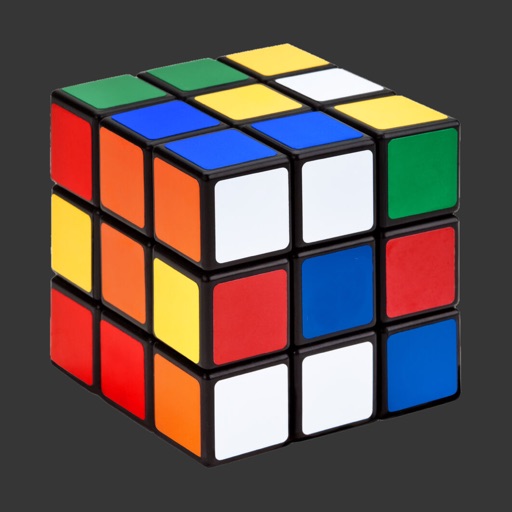
Solve Cubes of sizes 2x2 to 7x7. Rotate layers with finger swipes or tilt the phone for viewing angle changes. Use AI hints to assist with solving steps.
Calculate optimal PV angle for maximum electricity
Determine optimal PV angle for maximum electricity generation. Access data charts including elevation, azimuth, sunrise, sunset, and sunlight duration. Calculate vs azimuth optimization for chosen azimuth.
Track current prices in selected currency and measurement unit. View historical data in graphs for up to 24 months. Show daily changes in value or percentage. Customize theme color for personal preference.
Create by tracing virtual projections of photos on paper, easels, or any surface. Adjust drawing tools for precision. Learn drawing techniques with guided tutorials. Save and share finished pieces. Sync drawings across devices.