Pp store-ready images for multiple device resolutions with customizable layouts and color options. Add custom text and simulate screenshots. Create icons from a single image in various resolutions.
by 志鹏 洪★ 5.01 ratingsGraphics & DesignFreeData updated 2026-10-10
Create designs on mobile devices using drag-and-drop elements. Add icons, graphics, and images to build layouts. Use a random gradient color generator for visual experimentation. Export designs as Swift code for development.
The app allows users to create icons for various Apple and Android devices. Users can drag and drop images or paste from the clipboard to generate icon files for Xcode or Android.
The app provides a realistic typewriter experience on the user's iPad. It offers features such as email by image or text, a backspace key, multiple fonts, keyboard layouts, and ink ribbon colors.
Create multiple counters for different situations. Adjust increment values to control increase and decrease amounts. Add and subtract with touch buttons designed for easy thumb operation.
Store and organize code in multiple languages including Objective-C, Swift, and Python. Edit code directly, add widgets to copy to clipboard, and share with others. Export code with enhanced image options and themes.
Create and edit images with customizable templates and AI-generated options. Adjust colors, add text, and apply filters. Export in various formats and share directly. Search for AI-generated images and refine results with keywords.
Magnify text and small details with 4K image quality. Lock focus with a single tap for clear viewing. Use the quiet snapshot function to capture and review images without sound. Save snapshots for later reference.
The app allows users to create and manage various types of lists. The app provides multiple views and features for organizing and tracking information.
Translate text by pointing camera at images. Recognize and display translated text in real-time. Share translated text or save as image. Supports multiple languages and document formats.
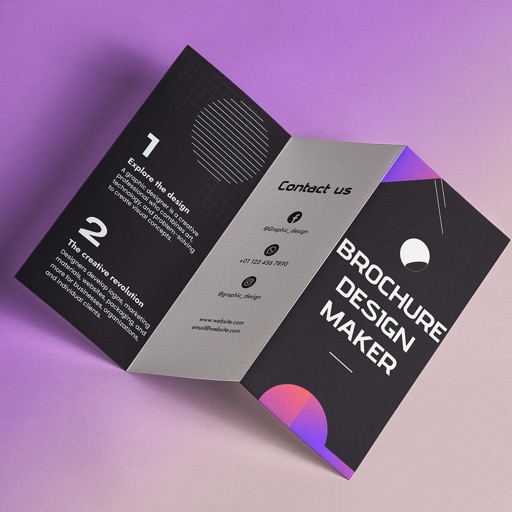
Create brochures by selecting from 2500+ templates across industries like business, travel, and education. Edit layouts, add text, images, and graphics. Export as PDF or print directly. Save and share designs.
Allows users to add apps to the for instant access. Customize with symbols, emojis, icons, and custom images. Supports most apps, web links, and shortcuts. Works on iOS 16.
Convert images, documents, and text files into PDFs with a single tap. Edit and organize content before exporting. Share PDFs directly or save to device. Supports multiple file formats and offers intuitive file management.
Display daily time, date, calendar, weather, steps, and more in a customizable widget. Choose from various designs and color schemes. Create custom with full control over functionality and appearance.
Upload and manage IPTV playlists via URL. Stream content in 4K, 8K, Full HD, 1080p, and HD resolutions. Use Codes API, M3U, M3U8, or TS formats. Control playback with pause, play, and seek functions.
Manage cryptocurrencies across multiple blockchain networks. View cross-chain token balances, buy crypto in-, and participate in DeFi activities like governance and yield farming. Securely store private keys and send/receive transactions.
Create digital invitations and greeting for events like birthdays, weddings, and parties. Customize designs with text, images, and templates. Add personal messages and export as PDF or image files. Share via email or social media.
Offline and them in vcf format. files via email or other device options. Restore to any phone with a single click. Create vcf files from your phonebook.
Customize home screen layouts with dynamic widgets. Add digital and analog clocks, calendars, and photo widgets. Choose from multiple design options and personalize layouts to suit individual preferences.
Create 3D designs using AI-generated floor plans. Adjust furniture layouts and color schemes. Preview lighting and materials. Export designs for sharing or printing.