
My Lists
Organize lists with multiple views and features
Neal Colston
iPhone Screenshots


Description
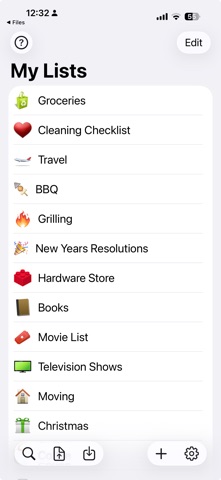
The app allows users to create and manage various types of lists. The app provides multiple views and features for organizing and tracking information.
Proudly NOT collecting your private data for over a decade — We debuted on the App Store on July 13th, 2008. Not once have we asked users to sign away data about themselves or their lists. Updated to latest version of iOS and iPadOS.
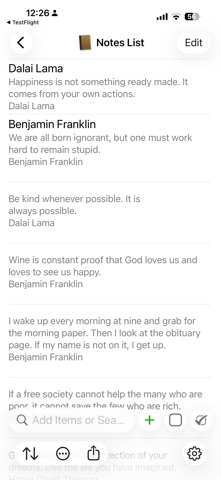
Make lists for anything you need from shopping lists to movies to ideas for your novel, notes for a class to restaurants to try. Add images to your list items with the Photo Checklists option or keep track of notes with the Notes View to help manage larger amounts of data. You can keep track of additional information by adding images to the details view of an item in ANY list type. My Lists contains many great tools which allow you to share, sort, and reorder your lists and items the way that you need in order to effectively manage your daily life.
Features:
- Search for list items in Spotlight
- Light and Dark Themes
- Icons and latest Emoji
- Random sort method
- Support for Files app and any Cloud services it supports
- Retina Display-worthy list icons
- Add PHOTOS to any list item
- 3 List View: Checklist, Photo Checklist and Notes
- Automatically group checked items
- Show count of unchecked items on Main List View
- Search functionality which searches both item titles and descriptions.
- Search based on status by searching for the terms "checked" and "unchecked"
- Email backup of individual lists
- Email visual versions of individual lists
- Export or backup any or all lists
- Visual count of checked items in list title (optional)
- Reorder lists alphabetically or based on checked/unchecked
- Manually order list items in "Edit" mode
- Check or uncheck all items
- Delete lists or items with a swipe