Monitor battery level in real time. Trigger charging animations by plugging in a cable or previewing them directly. Customize, select, or use static animations. Includes detailed shortcut tutorials for quick setup.
by 宏桃 陈★ 4.637 ratingsUtilitiesFreeData updated 2026-10-10
The app manages user downloads with features like pausing, resuming, and previewing. It includes an integrated web browser with private mode and bookmark support for an organized download experience.
Control sessions, monitor usage, schedule charging
Control home charger sessions by starting and stopping them. Monitor energy usage in real time. Schedule charging during off-peak hours to reduce costs. Receive notifications about charging status and errors. Adjust settings for optimal performance.
Convert videos to high-quality formats like MP3, WAV, and AAC. Select a file and choose an output format. Extract from music videos, podcasts, or tutorials. Save and share the converted files directly.
Reminds users to charge laptops when drops below 40% and stops charging once it reaches 80%. Sends notifications with snooze options. Helps maintain optimal health by preventing overcharging.
Functions and keyboard shortcuts for Mac and PC. Practice with flashcards to memorize popular functions. Write formulas and explore features offline. Access formula references and shortcut guides anytime.
Monitor real-time safety alerts and manage emergency responses. Use Panic Slider to trigger alerts, submit tips for security, and activate Safety Timer for time-sensitive actions. Track incident reports and access safety protocols.
In 1% increments for precise control. Set custom levels below the iPhone's minimum. Choose from multiple color options. Mute or preset levels for quick adjustments.
The app provides step-by-step instructions with HD pictures for various paracord projects. Users can learn at their own pace with simple text and detailed animations for items like survival bracelets and keychains.
Create official photos for passports, visas, and driver's licenses. Automatically cut and retouch portraits. Adjust background colors and select custom sizes. Use updated templates for accurate formatting.
Track workout intervals with a large, high-contrast display visible throughout the room. Use presets for quick starts, Smart Volume to control audio output, and TV mirroring for a wall-mounted timer setup.
Monitor vehicle battery health to track performance and longevity. Locate your vehicle in real time using GPS. Report stolen vehicles and activate security features to prevent unauthorized use.
Unlock real-time video calls with one-tap connectivity. Setup via QR code for instant pairing. Access headset controls and settings directly from the . Manage notifications and adjust audio settings on the fly.
Control a toy quadrocopter via Wi-Fi. Adjust flight settings and view real-time video feed. Arm and disarm the drone. Perform basic maneuvers and monitor battery level. Transfer video clips directly to the device.
Monitor battery state of health and charge level. Update firmware for BP Series and BOB Series batteries. Connect via Bluetooth Low Energy for real-time data access and performance tracking.
Control an educational robot with real-time commands and sensor feedback. Adjust movement speed and direction. Monitor battery level and system status. Execute pre-programmed sequences and receive error alerts.
The app offers comprehensive Punjabi (Gurumukhi) script contents including vowels, consonants, signs, and joins. It includes features for practicing writing, previewing words, and saving model writings for different font sizes.
Install and commission Smart Motor Systems by scanning the Controller barcode. View system status, adjust settings, and receive real-time feedback during setup. Access troubleshooting guides and technical support directly from the .
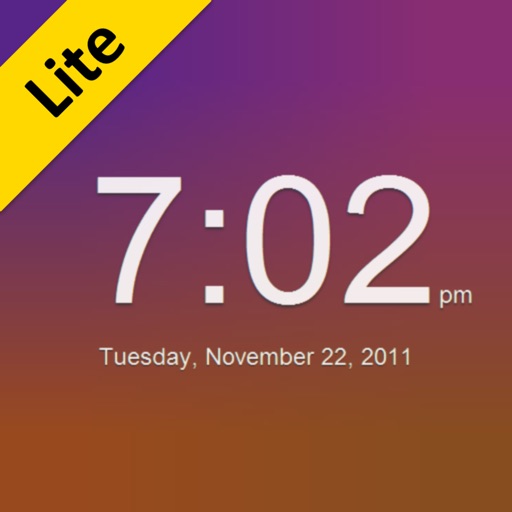
The app transforms a device into a clock with animated backgrounds. Users can select day or night modes, choose from three animations, and set animation speeds.