The app allows users to create photos and movies using green screen technology. It supports high-resolution video and photo capture, with a timeline editor for layering and editing multiple video or photo elements.
The app allows importing photos and videos from a Mac or PC using iTunes File Sharing. Files are transferred to the iPhone's Camera Roll at full resolution, supporting RAW+JPEG and Live Photos.
Edit photos with professional filters, effects, and frames. Retouch images with powerful tools like spot healing and color correction. Adjust brightness, contrast, and saturation. Crop, rotate, and apply stickers.
Add watermarks to photos with customizable styles, device, and vintage labels. Choose from classic designs and polaroid borders for a vintage look. Apply watermarks to multiple photos at once without compression.
Images using adjustable strength and soft/hard brushes. Remove stains and defects from photos. Enhance images with high-resolution editing and zoom. Apply focus to hide unwanted details. Offset wrist to avoid finger obstruction during editing.
Customize iPhone home screen with photo widgets. Select a photo album, add images, and place widgets on the home screen. Widgets automatically update every 60 seconds. Choose from small, medium, or large sizes.
Enhance image quality by unblurring and sharpening photos, reducing noise, and upsizing for clarity. Improve video clarity with noise reduction and motion smoothing. Sharpen PDF text and lines for better readability.
Take selfies or select from the photo library. Apply single-tap filters for self-portraits. Save photos and share to Twitter or Facebook. Includes self-timer and professionally designed effects.
Convert files to various formats like PNG, JPEG, GIF, , BMP, and WEBP. Select an , choose the output format, and convert it directly. Save the file and open it within the or share it externally. Supports additional formats in the future.
Arthur Eduardo Skaetta Alvarez Desenvolvimento de Software LTDA.
Enhance with AI precision
Edit with AI-powered enhancements, including skin smoothing, color correction, and lighting optimization. Adjust clarity, contrast, and brightness. Remove blemishes and noise. Export in high-resolution formats and share directly.
The app captures High-Dynamic-Range photographs by combining over-exposed and under-exposed images. It offers automatic and manual modes, four mix options, and the ability to import raw images for HDR processing.
Remove backgrounds from images using AI-powered tools. Edit photos with filters, cropping, and adjustment options. Add text, stickers, and effects. Export in multiple formats and share directly.
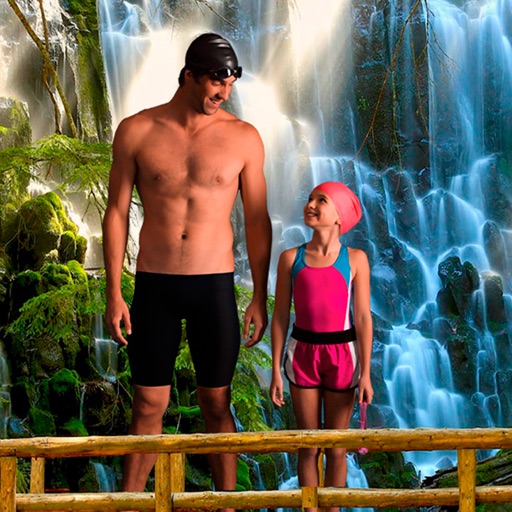
Select a from the collection. Crop a photo by pressing the silhouette button and drawing the desired area. Place the cropped image within the chosen scene. Share the final composition.
The app provides layer support, selections, and masks for photo editing. Users can export projects with layers preserved and access various tools and filters.
Choose from multiple creative to enhance photos. Select images from gallery or capture new photos. Apply effects for realistic results. Share via Facebook, Instagram, WhatsApp, and other social media. Save high-resolution images.
Access a large collection of high-resolution from a diverse range of creators. Customize and edit your own with built-in tools. Set selected images as home or lock screen .
Enhance images with AI-powered upscaling. Fix blurry photos by sharpening and clarifying them. Restore old and faded images using AI restoration. Increase resolution for clearer details. Adjust brightness, contrast, and color balance.
Images between and PNG formats. Select files to from GIF, PNG, or BMP. Transparent areas in GIF or PNG are converted to white. Share converted files via the share button. Save converted or PNG files to your device.