Create -themed photos by adding overlays like frames, snowflakes, hats, and beards. Preview overlays before capturing photos. Edit and share photos on iPad or iPhone. Include live snow effects and holiday music.
Take selfies or select from the photo library. Apply single-tap filters for self-portraits. Save photos and share to Twitter or Facebook. Includes self-timer and professionally designed effects.
The app adds real-time watermarks to photos and videos, including current time and address. Users can customize timestamp formats, fonts, positions, and add custom text or logos.
Edit photos by cutting and pasting faces, removing backgrounds, and deleting unwanted people. Add missing faces to photos. Use the silhouette head tool to select and edit elements. Export edited images directly.
Create and style photos with single tap effects. Apply 8 filters including , Cartoon, and Dots. Share images to social media or save to photo library. Print photos directly.
Upload photos from your library to an online collection. Order prints at full resolution with options for glossy or matte finishes. Select from over 50 print sizes and add white borders for a classic look.
Create square frames using images from your photo library. Add multiple images to a frame. Change . Rotate, resize, and reposition images. Preview the final image. Save the completed image to your photo library.
Adjust exposure, focus, and white balance manually. Capture images in RAW DNG format. Save photos to roll. Access advanced controls for precise adjustments. Replace automatic settings with custom configurations.
Capture -angle and panoramic photos using real-time lenses. Adjust distortion levels and select from multiple presets. Edit images with crop, rotate, and brightness tools. Share photos directly to social media or save in high-resolution formats.
Edit photos with smart foreground recognition to isolate subjects. Add customizable with options for font style, size, color, opacity, alignment, spacing, shadow effects, and background colors. Crop images using an easy-to-use tool.
Intelligent : Outline the subject to automatically remove it from the photo. Save images to system album or application album. Edit saved images directly within the .
Edit photos with blending tools to create double exposure effects. Add frames, quotes, and background elements. Apply single-layer filters. Export edited images without ads. two images with one touch.
Create videos by selecting photos from the gallery and adding music. Choose from 50+ transition effects. Adjust frame speed and layout ratio options including portrait, square, and landscape. Preview and edit in real time.
Create stickers by drawing lines to separate objects from photos. Store and share stickers via social media or messaging apps. Use stickers to design collages and combine with photos for creative images.
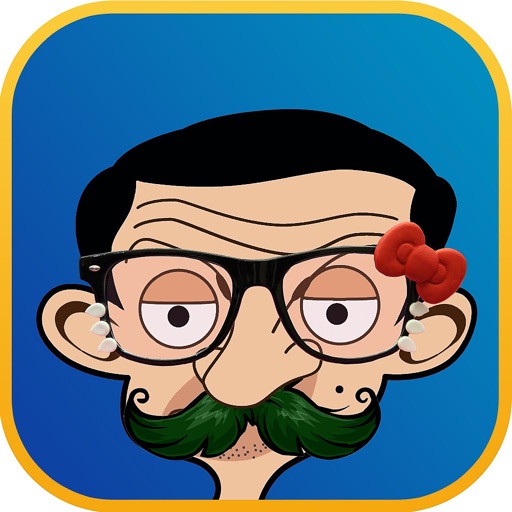
Apply filters and accessories like mustaches, glasses, and hats to photos of faces. Edit images to transform looks of people or pets. Save edited images to the album. Share edited photos with friends.
Capture photos and videos without storing them on your device. Share directly via social media or messengers. Choose where to save media or send it instantly. Set default preferences and switch between front and back cameras.
Add text to photos using customizable fonts and captions. Overlay images with artistic artwork or choose from filters and frames. Scale and crop photos for editing. Share edited photos directly to Instagram.