Add custom drawings to the home screen. Edit and resize images. Choose from various tools and colors. Save and rearrange icons. Share drawings via email or social media.
by Adam frankel★ 4.52 ratingsGraphics & DesignFreeData updated 2026-10-05
PAPYONLAB YAZILIM BILGI TEKNOLOJILERI TICARET LIMITED SIRKETI
Customize icons and names
Edit icons, widgets, and wallpapers to personalize your home screen. Customize styles, replace default icons, and decorate shortcuts with new designs. Adjust preferences and create custom kits for different accounts.
Customize device backgrounds with high-resolution . Choose from curated modern, pop art, and nature designs. Set home and lock screen images. Apply dynamic effects and adjust brightness. Share favorite with others.
Create and send custom with unique designs and illustrations. Choose from thousands of pre-made for various occasions. Add personal and share via email or social media. Receive daily updates with new card designs.
Add frames, patterns, colors, and blur effects to profile pictures. Adjust background color and apply instant DP borders. Resize and rotate images for Instagram. Post full-size photos without cropping. Create images for social media.
Create custom lists with drag-and-drop sorting. Share lists via link or social media. Customize categories and add descriptions. Save and edit lists offline. Export as images or text files.
Edit photos with filters, , and cropping tools. Add text, stickers, and borders. Adjust brightness, contrast, and saturation. Export in various formats and share directly.
Create digital paintings using a brush for intricate curves and unique patterns. Adjust brush settings for different effects. Combine brush with regular brush for varied artwork. Export and share finished drawings.
Edit photos with resizing, text addition, and customization. Choose from categories like romantic, love, and holiday frames. Apply various effects and save or share edited images.
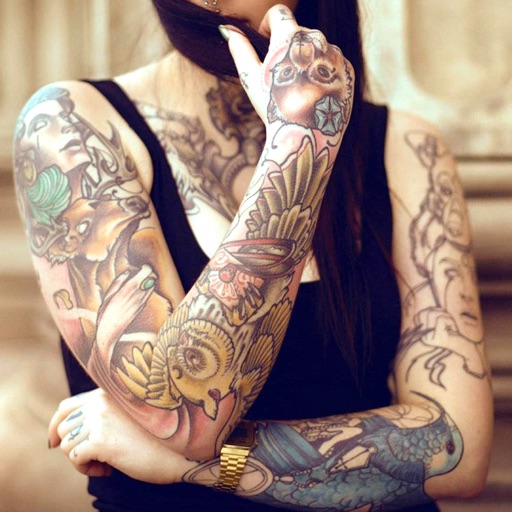
Edit photos with cropping, filters, and adjustment tools. Add tattoos and custom designs to images. Share edited photos directly or save them to your device.
Create custom home screen icons using a library of over 4,000 designs. Follow tutorials to generate shortcuts and apply themes. Edit styles and save customizations for your device.
Create and customize anime boys with various fashion styles. Choose from pastel, goth, or monster themes. Edit colors, add special items with a 2-layer system, and rearrange decor. Interact with characters and personalize your room layout.
Create vector drawings with speed and flexibility.
The app provides an intuitive tool for creating vector graphics such as flowcharts, technical drawings, and drafts. It offers speed and flexibility with customizable tools for precise alignment and adjustable elements.
A with iOS16 live activities and dynamic island support. Displays magnified with reading aloud. Offers lock screen and home screen widgets. Allows background color and font customization. Includes flip screen gestures and handwriting on a whiteboard.
Create logos, icons, and stickers using AI-powered tools. Choose from thousands of customizable templates. Edit designs with adjustable colors, fonts, and elements. Export in multiple formats and share directly.
Explore styles including tribal, skulls, fonts, flowers, henna, minimalist, and wolves. Select designs from list view or search. Create custom tattoos by adding elements and adjusting placement. Save and share finished designs.
Create holiday-themed photo frames with customizable messages and stickers. Add festive decorations to photos. Share edited images directly via social media or email.
Set from a curated collection. Download and view images . Add favorite to widgets for quick access. Adjust wallpaper settings directly on the home screen.