Create and edit musical compositions using a grid-based sequencer. Customize , program notes, and play back sequences on piano and fretboard diagrams. Adjust music theory settings and visualize chord progressions.
by Fraser Mackenzie★ 0.00 ratingsMusic$6.99Data updated 2026-10-03
Practice chords, build progressions, improve technique
Learn and practice guitar chords with detailed visual guides and chord diagrams. Explore derived chords from any root note and study slash chords. Build chord progressions and practice transitions with customizable exercises and progress tracking.
Learn , , and modes in any position using a fully functional simulator. Practice with interactive games, view references, or challenge yourself. Record and save riffs, use backing tracks, and adjust metronome settings.
The app provides a unique musical experience with eight free instruments including piano, drums, and guitar. Users can create and record their own musical creations and replay them with different sounds.
Learn basic rhythms through 60 progressively challenging levels. Tap notes in time to match rhythms. Receive feedback on accuracy. Track progress across levels. Sync with classroom or lab activities.
Create and edit sheet music with multi-track tabs and chord charts. Playback compositions and adjust notes by touch. Compose music using touch gestures. Learn notations through interactive features. Sync with Apple Health for progress tracking.
The app provides a 7-day plan to learn ukulele by playing along with songs. It features a virtual fretboard with scrolling chord names and a playalong mode that syncs visuals and audio for practice at various tempos.
Create and mix music using modular devices like samplers, mixers, and effects. Add sequencers and effects plugins. Customize setups with expandable gear. Import and export audio files. Connect to external hardware and software.
Create chord progressions by clicking on the circle of fifths. Practice musical sequences in 4-12 measures across all 12 keys. Choose from various grooves and repeat progressions for practice. Export or share created sequences.
Play rhythm-based games with customizable tracks. Tap notes to create melodies. Adjust tempo and volume. Save and share custom compositions. Track progress and unlock new themes.
A competitive game with a grid-based to place four tokens in a row. Answer questions in categories like Trivia, Math, and Geography. friends, against the computer, or use Game Center for opponents. Track progress and compete in real-time matches.
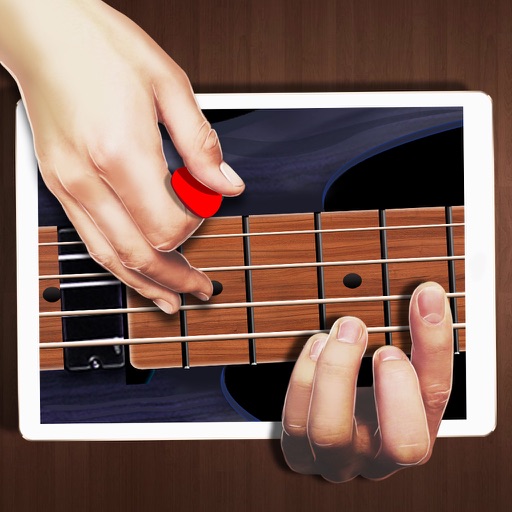
Practice techniques with finger exercises and chord progressions. Adjust string tension and tuning. Play along with built-in songs and track progress. Simulate real feel with responsive controls.
Create and customize a using block-based coding. Bring the 3D model to life with augmented reality. Learn coding concepts and develop computational thinking skills through interactive gameplay.
Create tracks using chord-based loops. Play along with pre-set chord progressions. Adjust tempo and key. Export audio files. Sync with MIDI devices. Record and edit performances. Share tracks directly.
Create beats using step sequencers and pads. Sample sounds from Roland TR and MPC machines. Mix tracks with a built-in mixer. Record and play back custom patterns. Adjust tempo and rhythm settings. Export and share finished projects.
Play with an 88-key and 7 octaves. Choose from 5 instruments and adjust sound settings. Resize keys and save custom configurations. Practice lessons or play live. Export music recordings.
The app offers 400 Arrow Words puzzles with four difficulty levels and varying grid sizes. It features three visual interfaces and optional sound effects for an engaging crossword experience.
Access and tune guitar strings with real-time pitch detection. View and play chord diagrams. Explore scales and progressions. Adjust tuning settings and save custom presets. Sync with iOS devices for advanced tuning and playback features.