ToneBoosters displays real-time , spectrum, and goniometer visuals. It processes microphone input for audio analysis. Supports AUv3 plugin format for integration with compatible host apps.
by Dirk Breebaart★ 4.450 ratingsMusicFreeData updated 2026-10-02
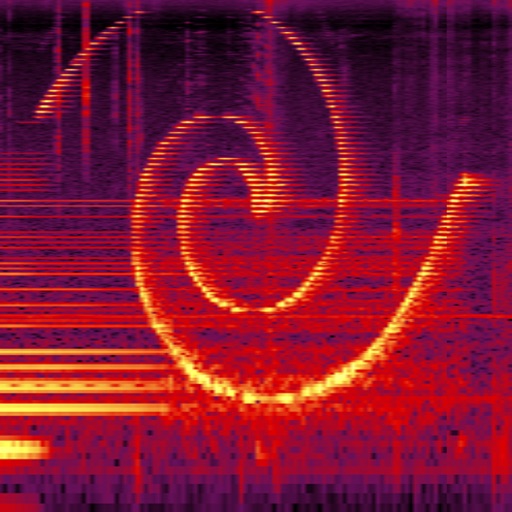
Simulate the ANS synthesizer by drawing spectrograms to create music. Adjust parameters like pitch, amplitude, and envelope. Play back compositions and export audio files. Learn about the history and unique capabilities of the ANS instrument.
Plugin for iOS devices. Adjusts parameters with three knobs. Works as an Audio Unit (AUv3) plugin in hosts like GarageBand and Cubasis 3. Includes open-source code for integration into other apps. No ads or in- purchases.
Adjust audio with four parametric stereo equalizer bands. Set gain, frequency, and Q for peak filters. Use low-shelf and high-shelf filters with adjustable gain and frequency. Enable or disable each band individually.
Create audio visualizations with GPU-accelerated graphics and phosphor glow effects. Switch between linear and circular waveform displays. Choose from multiple color schemes. Tap to toggle controls. Sync with host or use as standalone .
Perform real-time spectral analysis of sounds. View images with adjustable FFT-resolutions, frequency and amplitude scales, and color schemes. Save and share spectrograms. Access bode plot modes with averaging and maximum calculations.
FM synthesizer with six stereo operators and fully customizable FM algorithms. Create and edit patches. Load and save presets. Use as an AUv3 plug-in in compatible DAWs. Adjust modulation sources and destinations.
Filters microphone input to reduce sibilance in vocal recordings. Detects and attenuates harsh sounds using intelligent single vocal analysis. Offers allround mode for high-frequency limiting.
Apply a lush one-button chorus effect inspired by the Juno-60 analog chorus. Adjust mix levels to blend the effect. Add depth and dimension to tracks with dark and detuned character. Syncs with AUv3 hosts for plugin use.
The app provides real-time spectrum, spectrogram, oscilloscope, and octave RTA analysis. It offers visual representations of ultrasounds with adjustable settings and allows for transposed listening and slowed-down playback of inaudible sounds.
Measure sound levels with real-time precision. Analyze harmonics using multichannel FFT with adjustable parameters. Display graphical representations of audio data. Utilize AI to identify sound sources and analyze environments.
Create and customize music with 300+ layered synth sounds and FM presets inspired by 80s synthesizers. Access exclusive DX7 and SY77 samples. Export audio files and share directly. No ads or subscriptions.
Analyze audio with and views. Display up to three seconds of audio data. Scroll and zoom to review audio history. Switch between stereo and mono modes. Overlay or view and separately. Identify frequencies and MIDI notes with frequency trigger mode.
Create deep, customizable sounds with adjustable waveform and filter settings. Use as a standalone or plugin. Run multiple instances for layered sound design. Adjust sub- frequency and resonance for precise tone control.
Record up to 16 tracks with effects like pan, reverse, reverb, tremolo, and tempo delay. Use as a standalone or plugin. Manage master and input effects. Loop and layer audio for creative playback.