Edit photos with 23 tools including manual adjustments for ISO, shutter speed, and focus. Apply 80 presets and textures. Use built-in camera for manual settings. Export edited images directly. Share photos through integrated sharing options.
Teaches and alphabet recognition through tracing games. Children follow arrows to trace letters, associate them with sounds. Includes interactive activities for toddlers, preschoolers, and kindergarteners.
A 3D where players search for the exit in a room without doors. Explore realistic textures and use hints when stuck. Automatically saves progress during gameplay.
Create realistic designs with drag-and-drop furniture
Create photo-realistic designs by dragging and dropping over 2000 furniture and material items. Test material combinations or import custom textures. Generate 3D views and adjust lighting and colors. Save and share plans.
Calculate ideal power supply for your PC build by selecting compatible CPU and GPU models from 2020 onwards. Input system components to estimate power requirements. Export results for reference.
Children can identify shapes, colors, and textures through interactive challenges. Complete weekly puzzles to improve visual memory and coordination. Tap and drag objects to enhance fine motor skills. Receive instant feedback on correct answers.
Create milkshakes, juices, and teas by mixing ingredients and adjusting flavors. Customize drink presentations with toppings and decorations. Earn rewards by completing recipes and leveling up.
Edit 3D models using vertex, edge, poly, and object modes. Create parametrized shapes like cubes and cylinders. Import and export FBX files. Publish models to Sketchfab. Use keyboard shortcuts for efficient workflow.
Customize device background with 300+ ultra-HD -style wallpapers. Choose from gradients, abstract shapes, cosmic themes, and nature tones. Apply depth effects and parallax for a dynamic look.
Lookup and IP information with WHOIS. Access over 1000 extensions including new ones like .actor and .clinic. Query classic and new TLDs. Support for ARIN, RIPE, APNIC, LACNIC, AFRINIC, and referral servers. Automatically select whois servers.
Trace letters, numbers, and shapes with interactive exercises. Complete puzzles and to reinforce learning. Receive instant feedback and track progress through visual rewards. Share achievements with parents or teachers.
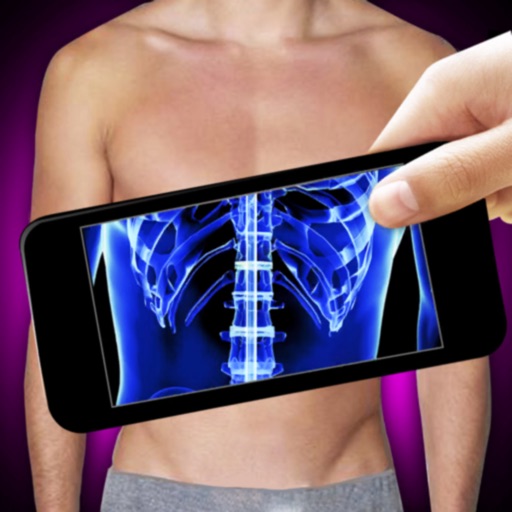
Use the to simulate an -ray scan by connecting the camera. Point the phone at different parts to create the illusion of an -ray. Tap the scan button to view the resulting image. Practice for better effects.
Learn letters, numbers, and shapes by tracing. Add and customize up to 100 personal words or names. Rearrange or delete entries in the list. Practice writing names and basic words through interactive tracing exercises.
Create and customize glass shapes by dragging fingers across the screen. Break and reshape glass pieces. Compete with others in real-time multiplayer mode. Share creations on social media platforms.