Create and edit digital notes with customizable styles and modes. Tap to clap the board, edit text, or lock the slate for temporary protection. Switch between nine different mode styles for varied note-taking experiences.
by 庆猛 邓★ 4.114 ratingsUtilities$2.99Data updated 2026-09-29
Create art from text, images, or phrases using AI. Generate digital avatars, apply art styles to selfies, and design unique tattoo ideas. Export and share created artwork directly.
Create and edit drawing tools and photo additions. Paint on images finger input. Move, rotate, and scale added . Save and share creations via social media apps. Offers a simple interface for note-taking and visual projects.
Edit and annotate PDFs with text and drawing tools. Create and modify documents directly. Recognize text in images using OCR. photos, PDFs, and documents from the device. Connect to printers via Wi-Fi or USB.
The app allows users to use their iPhone's lock screen as a note keeper. Users can write notes, hide the keyboard, and take a screenshot to set as wallpaper.
Create text with customizable size, speed, and duration. Choose from rotation, fading, typing, and color effects. Switch between landscape and portrait modes. Save or edit animations. Enable night mode for improved visibility.
Provide HD Day and cards for iPhone. Add stickers and text to . Apply filters for customization. Set as home and lock screen backgrounds. Supports all iPhone devices.
Create and organize notes with drag-and-drop reordering and swipe-to-delete. Lock notes with a password or biometric authentication. Securely store data with background locking.
Edit PDF documents with annotations, text formatting, and page rearrangement. Scan physical documents into searchable PDFs using OCR. Convert PDFs to editable formats like Word and Excel. Organize files with folders and search functionality.
Connect to Smart Key Box or Bluetooth Digital Smart Key via Bluetooth. Lock or unlock doors, open trunk, and trigger panic alarm from smartphone. Customize button styles with single-click, double-click, or press-and-hold actions.
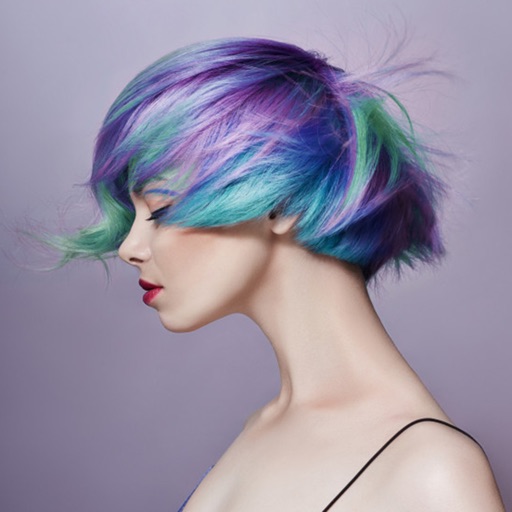
Edit photos by applying various hairstyles including long, short, straight, curly, and special styles. Add different colors and adjust hairstyles to fit any face. Save and share edited images directly.
Edit photos with single-tap filters, brightness, opacity, contrast, blur, and focus adjustments. Rotate, crop, and resize images. Share to Facebook, Twitter, or Instagram. Save to photo library or send directly.
PAPYONLAB YAZILIM BILGI TEKNOLOJILERI TICARET LIMITED SIRKETI
Customize icons and names
Edit icons, widgets, and wallpapers to personalize your home screen. Customize styles, replace default icons, and decorate shortcuts with new designs. Adjust preferences and create custom kits for different accounts.
Generate QR codes and barcodes for URLs, emails, WiFi, text, and social accounts. Support multiple formats including QR, , Datamatrix, Code128, Code39, EAN-8, EAN-13. Customize designs with logos, colors, and icons. Export QR codes in various styles.
Generate logos using AI by describing your brand's concept. Select from multiple styles, colors, and formats. Customize details like text and symbols. Export logos in various file types for use online or print.
Create art using AI to generate images in various styles. Combine generated artworks into collages. Edit photos with tools for adding text, removing backgrounds, and organizing multiple results. Share edited images directly.
Add to photos with customizable fonts and styles. Choose from 250+ fonts and 200+ templates. Include layers for , images, shapes, and stickers. Access a variety of stickers, icons, and quotes. Apply single color or gradient color palettes.