Edit photos with multiple layers, blending modes, and masking. Adjust colors and brightness using adjustment layers. Apply brushes, smudge, warp, and effects. Add shadows and clarity. Export and share edited images.
Edit photos with smart foreground recognition to isolate subjects. Add customizable with options for font style, size, color, opacity, alignment, spacing, shadow effects, and background colors. Crop images using an easy-to-use tool.
Shanghai Zongchong Information Technology Co., Ltd
Capture moments with AI suggestions
Allows users to capture photos with AI-powered recommendations. The analyzes lighting, colors, and subject matter to suggest tailored templates. Users can apply these templates to their images for precise and visually appealing proof of capture.
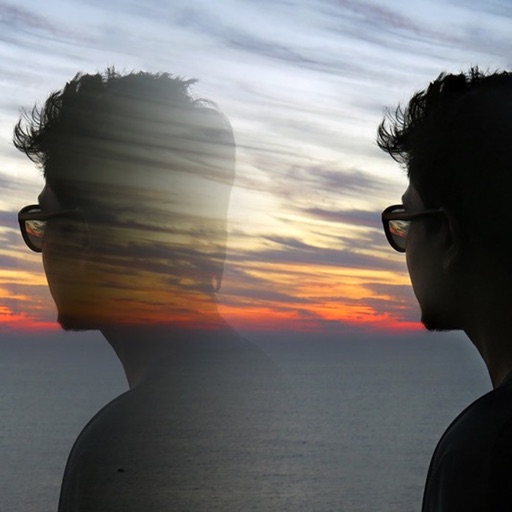
Edit photos with 12 blend modes including overlay, multiply, difference, and exclusion. Combine foreground images from a growing library of over 400 options. Export and share edited creations.
Create collages using 100+ 2D/3D frames. Add images from gallery or camera. Adjust opacity and rotate photos. Include text with custom fonts and colors. Apply effects to enhance visuals. Export and share finished collages.
Add to photos with machine learning. Choose from Bokeh, Box, Motion, Crystallize, or Pixelate styles. Adjust intensity with a slider. Apply to single or multiple images.
The app presents two images for comparison, requiring users to identify five differences within a time limit. It offers over 100 images across categories like animals, sea life, and travel.
Arthur Eduardo Skaetta Alvarez Desenvolvimento de Software LTDA.
With one touch
Using AI to add color to black and white images. Import from camera or photo library. Adjust color intensity with a slider. Save or share the edited image.
Edit images with drawing tools like rectangles, ovals, arrows, lines, and text. Add notes and highlights. Adjust colors and brightness. Save and share annotated images directly.
Measure distances and angles using a rangefinder and inclinometer. View GPS coordinates and map overlays. Take geo-tagged photos and videos. Use a compass and navigation calculator for orientation and route planning.
Edit photos with AI to replace faces and create memes or greeting cards. Use high-quality morphing for realistic results. Detect if an image is real with AI image analysis. Access templates of celebrities, historical figures, and memes.
Create split-image comparisons by importing existing photos. Arrange images side by side for visual contrasts. Blend photos to form artistic compositions. Track changes in landmarks, plants, fitness progress, and home renovations over time.
Organize photos and videos by dragging and dropping into folders. Filter to find duplicates or sort by size. Swipe left to delete and right to keep photos. View in full screen and manage storage space efficiently.
Analyze photos to find . Compare one face against others or identify the face pairs. Zoom and move within the review scene. Share result images to social media platforms. Process data entirely offline without storing user data.
Resize and crop images for specific dimensions and resolutions. Adjust colors and metadata accurately. Batch process multiple files with customizable workflows. Export in various formats for social media, printing, or projects.
RAY INFORMATICS YAZILIM TEKNOLOJI MEDYA DANISMANLIK VE EGITIM TICARET LIMITED SIRKETI
Add watermark to photos and videos
Add watermark as , image, or QR code to photos and videos. Customize design, position, and transparency. Save and share modified media directly. Protect content with brand-specific watermarks.