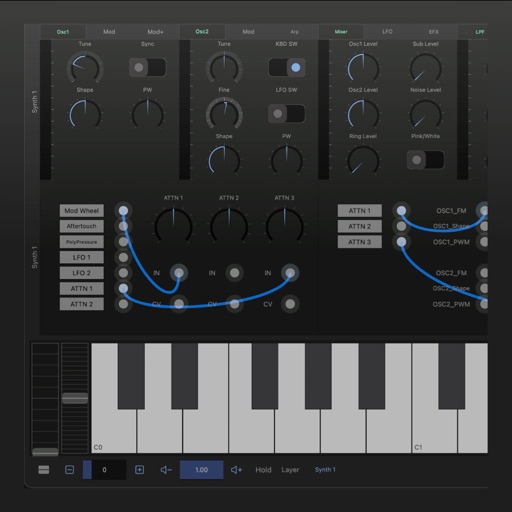
The app transforms an iPhone and iPad into a premium sampler and synthesizer for music production. It offers a dual-layer rompler engine and a touch-optimized workflow for creating studio-quality music anywhere.
Edit audio with multi-track and single-track modes. Cut, trim, and rearrange tracks with millisecond precision. Record audio, mix tracks, and zoom in for detailed editing. Save and export projects in various formats.
Record up to 16 tracks with effects like pan, reverse, reverb, tremolo, and tempo delay. Use as a standalone or plugin. Manage master and input effects. Loop and layer audio for creative playback.
Access from your device, iCloud Library, or Plex server. Apply filters and sort your library in various ways. Use a 7-band equalizer. Enable CarPlay support. Download for offline playback with a paid subscription.
Record and process audio in real time using microphone input. Apply studio-quality enhancements, excitation, and sweetening effects. Adjust parameters for depth, clarity, and tone. Export processed audio files.
Edit audio with spectral delay effects using up to 2048 delay lines and brick-wall filters. Manipulate frequency domain data through short time Fourier transform analysis. Adjust time and feedback shapes for stereo channels via multi-sliders.
Create synth sounds with oscillators, filters, and modulation tools. Adjust parameters for precise sound shaping. Access an FX section for effects. Customize GUI for intuitive workflow. Export audio files and integrate with DAWs.
Create and customize analog-style sounds with up to 8 voices. Adjust oscillators, sub-oscillator, and noise source. Use AUv3 for integration with DAWs. Design patches with classic synth parameters.
Create drum patterns with improvisation features and 2D control for jam and intensity. Use 8 assignable pads for live sessions and MIDI controls. Sync with Ableton Link. Export multi-track or full mix via audio-MIDI export.
Create with virtual instruments, effects, and AUv3 plugin support. Arrange beats, adjust tempo, and export tracks. Share projects directly or sync with DAWs for further editing.
Adjust audio frequencies with a parametric equalizer. Add a filter band for precise control. Adjust gain and Q settings. Apply preset EQ profiles. Save and recall settings. Export adjustments for use in audio projects.
Edit audio files by reversing playback. Adjust pitch and time stretch audio. Access pro features like equalizer, delay, and reverb. Save and share modified audio files.
A synthesizer with 16 voice polyphonic capabilities. Users can create sounds using two oscillators per voice, adjust ADSR envelopes, apply filters, and control amplification. Includes effects, a sequencer, and audio visualization.
The app processes and synthesizes live voice for music creation. It offers tools like vocoders, auto pitch, and harmonizing pitch shift for diverse vocal effects and soundscapes.
Turn your iPhone into a . Connect to audio devices for real-time voice playback. Apply voice effects and presets. Adjust equalizer settings for bass, mid, and treble. Use noise reduction for clearer sound.
Adjust audio with precise equalization settings. Apply real-time frequency adjustments. Load presets for different sound profiles. Save custom configurations. Access a demo version with limited playtime. Purchase the full version within the .
Adjust audio frequencies using adjustable band widths and fader-style controls. Visualize EQ adjustments in real-time. Apply low-pass, band-pass, and high-pass filters to shape sound. Modify tone and filter settings for precise audio customization.