Edit audio files by reversing playback. Adjust pitch and time stretch audio. Access pro features like equalizer, delay, and reverb. Save and share modified audio files.
by Renjith N★ 4.4492 ratingsMusicFreeData updated 2026-09-10
Edit tracks with EQ, Pitch, Tempo, Echo, Reverb, Flanger, and 20+ Equalizer presets. Loop song sections, apply time stretching, and practice with audio playback. Record voiceovers directly within the .
Stream and download songs, albums, and playlists without a subscription. Create and share custom playlists. full tracks with unlimited skips and repeats. Background playback is supported. No login required for basic features.
Play MP3 files from local storage. Create and manage playlists with songs, artists, and albums. Adjust equalizer settings for bass boost, reverb, and other audio enhancements. Control playback with next, previous, and shuffle functions.
Access and play sounds and videos from 2016 to 2025. Search for specific content. Share sounds and videos with others. Includes links to original memes. Organize custom sections. Adjust playback speed, pitch, distortion, and reverb in real-time.
Record with no duration limit and up to 24 bit / 96 kHz quality. Edit files with fluid performance, even with large files. Use unlimited undo and redo features for precise edits.
Play audio files in formats including MP3, AAC, M4A, WAV, AIFF, and M4R. Use the equalizer to adjust sound settings. Boost bass levels. Edit song metadata. Manage playlists. Stream from the cloud. Store offline for playback without internet.
Play FLAC and other audio files with lossless sound quality. Stream or download songs from NAS or cloud storage. Organize into categories and create custom playlists. Adjust equalizer and bass booster settings.
With access to a large library of songs. Record vocals with high-quality audio. Apply sound effects like echo and reverb. Save recordings and share them with friends. with synchronized backing tracks. Practice singing anytime on mobile devices.
Edit by splicing, mixing, and cutting. Record with wired or wireless earphones. Adjust playback speed from 0.2 to 4 times. Balance left and right channels. Export edited files.
Play music files from your media library. Adjust pitch and tempo using sliders. Listen to modified versions of songs. Supports various audio formats. Note: DRM-protected files may not function properly.
Record using the device’s microphone and play it back forwards or reversed with a tap. Adjust playback speed from 0.5x to 2.0x and modify pitch by half tones across two octaves.
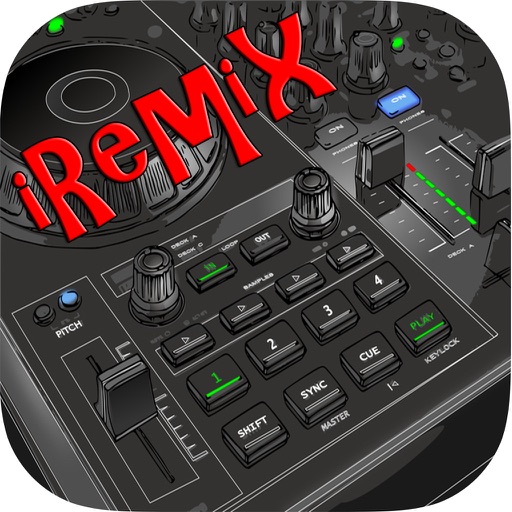
Mix tracks from multiple sources. Apply DJ effects and remix songs instantly. Use sampler and hardware controls to create custom mixes. Share finished mixes directly.
The app plays music backwards from a user's library or microphone. Users can seek through tracks, control playback speed, and record audio to hear it in reverse.
Edit tracks by adjusting tempo, pitch, and speed. Reverse sections of audio for creative effects. View visualizations with retina graphics. Save and share modified audio files.
Control audio playback with a home screen . Adjust bass and equalizer settings for personalized . Boost volume for Bluetooth headphones and speakers. and enhance audio from compatible devices.
Access from iTunes and iCloud libraries. Mix tracks with crossfade effects. Adjust tempo and pitch in real-time. Use built-in melodies and sound effects. Create custom remixes and save projects. Share mixed tracks directly.
Play all popular audio formats including MP3, AAC, M4A, WAV, AIFF, and M4R. Organize playlists and edit song details. Use the equalizer to adjust sound settings. Stream from the cloud or listen offline.