Apps Like Retouch: Erase Objects Remover for iPhone and iPad
Edit photos, remove , change backgrounds
AI automatically detects and removes , people, and backgrounds from photos. Users can edit photos with skin whitening, acne removal, body reshaping, object erasing, background changes, cropping, text addition, and filters.
by MAPLE LABS COMPANY LIMITED★ 4.48,123 ratingsGraphics & DesignFreeData updated 2026-09-26
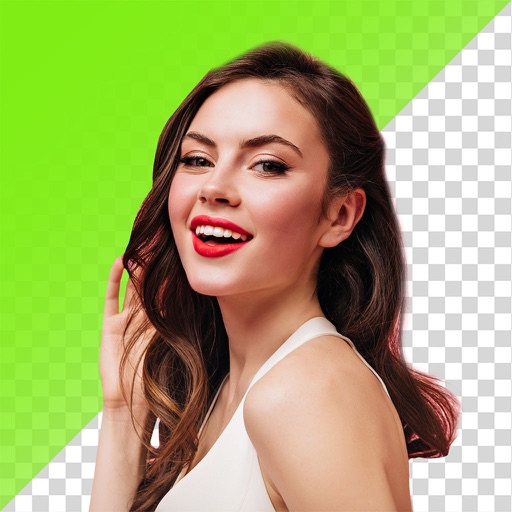
Edit photos by removing and replacing backgrounds using AI-powered tools. Cut out people or objects with precise edges. Add custom backgrounds, blur backgrounds, or erase unwanted areas. Save edited images in various formats.
Photos by removing blemishes and imions. Enhance skin texture and reduce shine. Whiten teeth and improve smile appearance. Adjust eye details and add facial contrast for better visibility.
Edit photos by typing desired changes like removing acne or adding a smile. Transform faces into anime characters. Retouch skin for a smooth, natural look without filters. Adjust expressions to appear more confident in photos.
Remove people or objects from photos by selecting and erasing them. Eliminate from images with precise tools. Uncrop photos to expand the frame. Change backgrounds by removing the existing one and applying a new one.
Photo montages, collages, and custom . Edit images by erasing, changing, or adding backgrounds. Cut people from photos and place them on new images. Add personal photos and decorate with fun .
From photos with a single tap using AI technology. Edit backgrounds for a polished look. Retouch images and correct flaws on selfies. Adjust colors and brightness for enhanced clarity. Export edited photos in high quality.
Photos with one-tap AI enhancement for vibrant colors. Preview edits in real-time. Swap backgrounds with two taps. Use over 20 pro tools including filters, frames, and stickers. Crop and paste objects onto any backdrop quickly.
Remove unwanted objects, people, or background elements from videos using AI. Select and track moving targets with dynamic tracking. Highlight areas with brush and outline tools. Clean fixed areas like logos or timestamps. Trim and merge segments.
The app provides a powerful editor with a simple design for photo enhancement. Users can add custom textures, stickers, and text to their images, with options for focus, color splash, and various filters.