Control mix levels, EQ, and FX settings wirelessly via touch. Adjust parameters from a mic stand, podium, or pocket. Demo software features before purchasing hardware. View mixer layout for quick adjustments.
Create music and beats using loop pads and drum machine features. Tap pads to generate sounds and build loops. Mix audio tracks and play loops from various genres. Sync loops for seamless playback and arrangement.
A music and tuner for instrument practice. Adjust tempo and settings. Play steady rhythms and sync with audio. Tune instruments with pitch detection. Track practice sessions and review performance metrics.
Control audio settings via Bluetooth connection to compatible receivers. Adjust volume, power on/off, switch input modes. Access radio bands, seek, presets, and auto store features. Manage Bluetooth connections and input sources remotely.
Control DMX lighting devices wirelessly via Art-Net or sACN over Wi-Fi. Create and manage preset sequences. Synchronize lights to music using a beat tracker. Adjust and animate lighting effects in real-time. Export and share lighting setups.
Calculate bullet trajectories using Point Mass, Siacci, and Pejsa methods. Input environmental factors like wind and elevation. Adjust for bullet drop and muzzle velocity. Export data to CSV. Sync with external devices for real-time adjustments.
Trim audio files with millisecond precision. Cut, merge, and mix tracks. Create custom ringtones and alarms. Adjust bitrate and volume for quality. Export in supported formats. Set as device or notification sound.
Create beats using 154 drum kits. Adjust tempo and rhythm patterns. Customize sounds with effects. Save and export loops. Share creations via social media. Sync with other devices for collaborative projects.
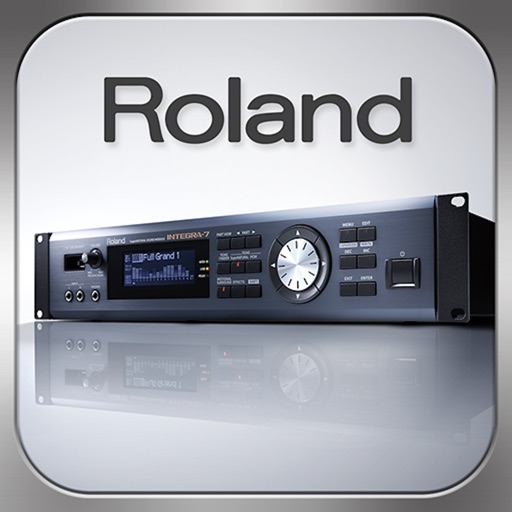
Control synthesizer parameters like SuperNATURAL Synth Tones and Part Mixer remotely. Select and load Studio Sets. Adjust tone assignments for each part. View and modify settings on an iPad screen. Requires Roland -7 and Wireless Connect.
The app allows up to ten musicians to control monitor mixes from a StudioLive mixer using an iPhone or iPod touch. Users can adjust individual channel send levels or control relative levels of multiple channels simultaneously.
The app provides control for Apogee audio interfaces. It allows users to adjust features and settings through five tabs and offers a hardware-based mixer to reduce recording latency.
Create and manipulate music with automated MIDI and audio controls. Link tools for synchronized playback. Apply AU and IAA effects. Modulate parameters using MIDI, accelerometer, scrub, and LFO. Adjust built-in and external parameters in real time.
Control Yamaha CL mixing console functions remotely.
The app offers remote control of Yamaha CL digital mixing console functions. It allows engineers to adjust monitor mixes from performer positions on stage via the iPad.
Control a compatible receiver with Bluetooth connectivity. Adjust volume, switch input sources, toggle power, and manage playback functions. Access radio presets and change bands. Mute and pause media. Seek forward or backward.