Apps Like Remove Objects:AI Photo Editor for iPhone and iPad
And edit images AI
And people from photos using AI-powered erasing. Edit images with AI expand, generative fill, and AI replace tools. Adjust backgrounds for a natural look. Export edited images in various formats.
by TAPUNIVERSE LLC★ 4.8129,128 ratingsGraphics & DesignFreeData updated 2026-11-02
RAY INFORMATICS YAZILIM TEKNOLOJI MEDYA DANISMANLIK VE EGITIM TICARET LIMITED SIRKETI
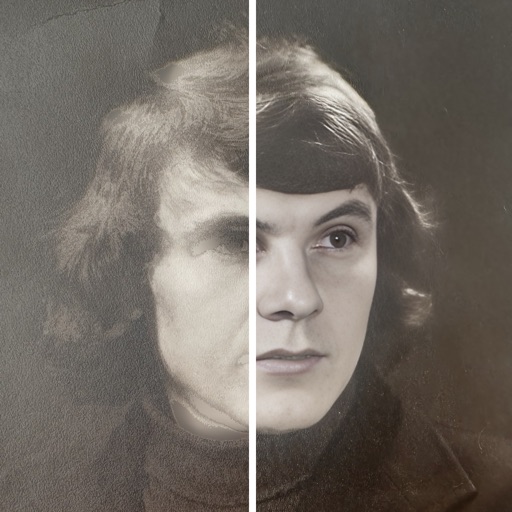
Enhance, restore, and upscale photos
Edit photos with unblurring, enhancement, and upscaling tools. Restore damaged or faded images. Adjust clarity and sharpness. Save and share edited photos directly.
Remove backgrounds from photos using AI. Create personalized pet portraits and funny avatars. Generate AI-powered videos from images. Upload photos and apply pre-designed templates. Edit and enhance images with filters and effects.
Edit photos by swapping faces using AI technology. Adjust facial features and apply filters. Copy faces from one image to another. Create realistic or humorous -over effects. Share edited images directly.
Edit photos by removing backgrounds using AI-powered . Select images from gallery or camera. Replace backgrounds with options from various categories. Blend foreground with chosen for natural results.
Intelligent : Outline the subject to automatically remove it from the photo. Save images to system album or application album. Edit saved images directly within the .
Edit photos with AI enhancement, colorization, and background removal. Create AI avatars and repair old or blurry images. Export in various formats and share directly.
Remove unwanted objects from photos with one-tap selection. Edit images to eliminate distractions like people or power lines. Save and share edited photos directly. Adjust background details for a cleaner look.
Remove backgrounds or objects using AI by adding a and tapping "remove." Adjust the new background to a custom color, white, another image, a gradient, or a preset. Add text, shapes, and photos to the edited image.
Remove unwanted objects from photos using AI-powered detection. Select and erase elements with simple taps. Adjust edges and refine results manually. Export edited images in high quality. Share directly to social media or messaging apps.